Author: Justin Lee

  • Raspberry Pi print server with no server-side driver

    Raspberry Pi print server with no server-side driver

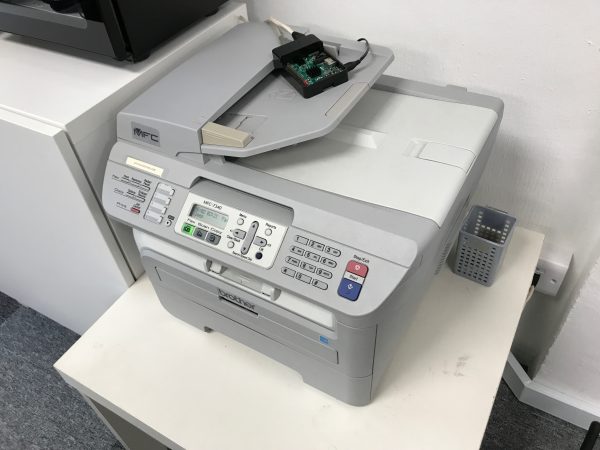
    There are numerous articles which step through how to configure CUPS to turn an RPi into a print server but I bumped into a problem because there are no drivers available for my Brother MFC-7340 printer for ARM (only available for i386) and I was not keen work on the source code/compile/etc.

    The quick fix is to turn it into a RAW (a.k.a. HP JetDirect) print server.

    Install CUPS

    sudo apt-get install cups

    Configure CUPS

    Edit /etc/cups/cupsd.conf.

    Scroll down until you see the Listen configuration directive. Comment it out. This will make CUPS available over the network.

    # Only listen for connections from the local machine
    # Listen localhost:631
    Port 631

    Look for the <Location /> directive, and add Allow all (or a specific list of IPs, if your local network is not secure) to allow access.

    <Location />
      # Allow remote access...
      Order allow,deny
      Allow all
    </Location>
    

    Save the file and restart CUPS.

    sudo /etc/init.d/cups restart

    Configure Printer

    Now connect your printer to the USB port on the RPi.

    Now you should be able to use a browser and go to https://<ip.address.of.rpi>:631/admin to reach the CUPS web UI.

    1. Under Printers, click Add Printer.
    2. You should see your printer appear under Local Printers. Select it and click Continue.
    3. You can accept the default names on the next screen and click Continue.
      • You do not need to enable Share This Printer.
      • Make a note of the printer Name. You will need this later.
    4. In the next screen, click on Select Another Make/Manufacturer.
      • Select Raw and click Continue.
      • Select Raw Queue (en) and click Add Printer.

    Install xinetd

    sudo apt-get install xinetd

    Configure xinetd

    Edit /etc/services and scroll to the end. Add the following line:

    jetdirect 9100/tcp

    Create a new file /etc/xinetd.d/jetdirect and add the following, replacing Brother_MFC-7340 with your printer name configured in CUPS above.

    service jetdirect
    {
    socket_type = stream
    protocol = tcp
    wait = no
    user = root
    server = /usr/bin/lp
    server_args = -d Brother_MFC-7340 -o raw
    groups = yes
    disable = no
    }

    Save the file and restart xinetd.

    sudo /etc/init.d/xinetd restart

    Connect your computer

    Now, go to your computer and connect to the printer. These are steps for Macs.

    • Go to System PreferencesPrinters and Scanners.
    • Click on [+] to add a new printer.
    • Select IP
      • Address: <ip.address.of.rpi>
      • Protocol: HP JetDirect
      • Queue: <Blank>
      • Name: Enter a name of your choice here, e.g. Office Printer.
      • Use: Click Select Software and use the correct driver for your printer here.

    You should now be able to print to the new printer on your Mac.

    P.S. Sometimes you may need to connect your printer via USB to your Mac so that it installs the correct drivers first, then you can unplug the USB and select the drivers when configuring IP printers.

  • Telnet missing in macOS 10.13 High Sierra

    Although Telnet is barely used anymore as a remote access protocol/tool, it is still a very popular debugging tool for tech professionals.

    Unfortunately the quick fix here is to use netcat (nc).

    alias telnet nc
  • Flash crashing with vSphere Client, fix for Mac

    Flash crashing with vSphere Client, fix for Mac

    Looks like a new Adobe Flash (a.k.a. Shockwave Flash) update caused widespread panic with users of the web-based flash vSphere Client 6.x leaving them with a “Shockwave Flash has Crashed” message and no vSphere Client. The immediate fix is to downgrade Adobe Flash.

    VMware has released an official KB 2151945 but it only provides instructions for Windows users.


    Here’s how to fix for Mac users

    1. Go to Adobe’s Archived Adobe Flash Player versions page.
    2. Scroll down to Flash Player Archives and download Flash Player 27.0.0.159 (released 10/10/2017) or use this direct link.
    3. Once the package is downloaded it should extract automagically. If it does not, extract it.
    4. Open the folder fp_27 and sub-folder 27_0_r0_159.
    5. Double click uninstall_flashplayer27_0r0_159_mac.dmg to mount the image, and run the Adobe Flash Player Uninstaller. This should uninstall the existing Flash Player on your computer.
    6. You will need to close your browser(s) at this point. Bookmark this page for reference later.

    For users of Firefox

    1. After uninstalling, double click flashplayer27_0r0_159_mac.dmg and then (re)Install Adobe Flash Player. Your browser(s) should still remain closed at this point.
    2. You will be prompted to select how you want Adobe to update Flash. Be sure to select Notify me to install updates.
    3. Unmount the two disk images you mounted earlier.

    For users of Chrome

    1. Delete the current flash version. Open Terminal, and run these commands:
      cd ~/Library/Application\ Support/Google/Chrome/PepperFlash/
      rm -rf 27.0.0.170
    2. Double click flashplayer27_0r0_159_macpep.dmg and then (re)Install Adobe Flash Player.
    3. You will be prompted to select how you want Adobe to update Flash. Be sure to select Notify me to install updates.
    4. Unmount the two disk images you mounted earlier.

    You should now be able to get back to work in VMware vSphere Client. Drop me a note if the instructions do not work for you, I’ll be glad to update the content.

  • Why are multiple subnets needed in vSphere ESXi?

    Why are multiple subnets needed in vSphere ESXi?

    Most know that having different subnets for management traffic, vMotion, storage, etc. is a best practice but some may not understand why.

    Routing 101: Two paths to the same place

    Let’s take for example you have a laptop and is connected to both wifi and LAN at home/office (on the same subnet). Which connection is being used when you browse the Internet or even print to a local network printer?

    The answer is the first connection you are hooked up to, or the more technically correct answer is the route that is of a higher order of preference. When two NICs are connected on the same subnet, your local routing table will have two entries to the directly connected subnet, e.g.

    192.168.1.0/24 via en1 metric 100
    192.168.1.0/24 via en0 metric 100

    When a packet is sent (e.g. to your gateway at 192.168.1.1), the operating system will look up the route table and pick the first match, and in this instance it would be en1. Of course if the two routes have different metrics, then the metric of a smaller number gets the preference.

    But if you have both NICs connected to different subnets, e.g.

    192.168.1.0/24 via en1 metric 100
    172.16.1.0/24 via en0 metric 100

    Then it becomes clear which path to take when you try to get to your printer at 172.16.1.15 or your NAS at 192.168.1.100.

    The same thing happens when you have two (or more) vmkernel NICs on the same subnet. Separating the subnets will ensure that the desired traffic takes the correct path out.

    Interface binding

    Some may wonder why can’t interface binding be used, similar to running ping -I <intf>? The answer is yes! Interface binding is used for Multi-NIC vMotion (5.1 and newer) and for the Software iSCSI initiator where iSCSI multi-pathing requires two or more different vmknics within the same subnet. But this works only with vMotion, the Software iSCSI initiator, or other specific ESXi services designed to have NIC binding.

    To allow NIC binding to work, the general requirement is that only one active physical NIC can be present in the NIC teaming configuration, e.g.

    // vSwitch setup
    vSwitch0 = eth0, eth1
    vSwitch1 = eth2, eth3
    vSwitch2 = eth4, eth5
    
    // No port binding
    vmk0 management 192.168.1.11/24 via vSwitch0 (active: eth0, eth1)
    vmk1 iscsi-hb 172.16.1.11/24 via vSwitch1 (active: eth2, eth3)
    
    // Port binding services
    vmk2 iscsi-1 172.16.1.12/24 via vSwitch1 (active: eth2, unused: eth3)
    vmk3 iscsi-2 172.16.1.13/24 via vSwitch1 (active: eth3, unused: eth2)
    vmk4 vmotion-1 172.16.2.11/24 via vSwitch2 (active: eth4, standby: eth5)
    vmk5 vmotion-2 172.16.2.12/24 via vSwitch2 (active: eth5, standby: eth4)

    vSphere 5.1 and iSCSI heartbeat

    iSCSI heartbeat which uses regular ICMP ping does not bind to a specific interface prior to vSphere 5.1. Back in the good old days, it was a best practice to create 3 vmknics and leave the vmknic with the lowest index number for iSCSI heartbeat to give it a routing priority. In vSphere 5.1 and later VMware addressed this and made iSCSI heartbeat bind to an interface but there have been reports of it not working as intended.

    vSphere 6.0 and TCP/IP Stacks

    VMware introduced independent routing tables (know as TCP/IP stacks) in vSphere 5.5 but it was cumbersome to configure via CLI. In vSphere 6.0 three different TCP/IP stacks are available by default so that Management, vMotion and Provisioning (cloning, snapshots, etc.) traffic can be configured to route differently. For the Cisco guys this is easily explained as VRF. This introduction allows vMotion and Provisioning traffic to be routed. Although not usually needed, vMotion routing will be required if you want Long Distance vMotion to get across two different (routed) subnets.

  • Lessons from Downsizing

    Lessons from Downsizing

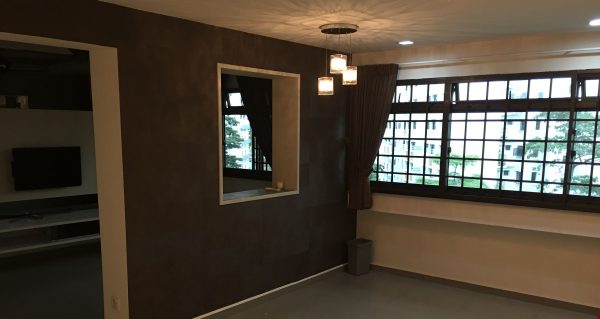
    Some friends were in shock when I told them that I’ve moved to an apartment that is slightly less than 900 sqft in size with my wife and my (now) 2 year old son. Yes, you heard that right — I went from a 1,200 sqft “5I” HDB apartment to a 900 sqft 2-room private apartment.

    “Can stay meh?”

    “Not very small meh?”

    I didn’t think much of it until I moved in. And when I did, I thought: Jit bai siao liao. (I’m in trouble now.)

    It was easy to go from a bedroom at my parents’ (approx 150 sqft?) to a 1,200 sqft apartment all to myself (and wife), and I thought downsizing to 900 sqft with a additional human being occupant (the baby) shouldn’t be a problem. In fact, it was such a challenge that it made some significant changes to my/our lifestyle. And I think to myself: How could I have amassed so much material junk in a short span of seven years that I can no longer fit all my belongings in a house even though it is easily 4 times the size of my old bedroom? It is scary.

    “How could I have amassed so much material junk … that I can no longer fit all my belongings in a house even though it is easily 4 times the size of my old bedroom?”

    Let me also, for the record, just point out that this has got nothing to do with money or being wealthy — a person of low or average income can also hoard enough to fill a 5-room flat.

    I have been on a mission to minimise since 2014, possibly even a little bit earlier. It first started with clearing out old hardware at my parent’s office, where I realised that it was actually more difficult to get rid of things than to acquire them. I wrote another blog entry in 2015 after continuous effort to minimise seemed futile, and then again in 2016 detailing all the crap I had unearthed from moving to a temporary rental apartment.

    In spite of the multi-year effort to reduce, I still had loads of junk with me as I move once again in early 2017 into my new tiny apartment, and this is when I also realised that part of the problem with our rampant consumerism is the abundance of seemingly permanent storage spaces. (My USA friends be like: “Really? We have an entire basement/garage.”) Most Singaporean families buy instead of rent their homes which means people feel more settled and are more willing to buy things to keep/hoard. Our apartments aren’t getting any bigger, though, so some of this mentality needs to change.

    “… part of the problem with our rampant consumerism is the abundance of seemingly permanent storage spaces.”

    So moving into a small apartment forced me to really downsize. I more than halved my wardrobe. I threw and donated a bunch of stuff away. I actually felt bad, because it seemed wasteful to throw useable stuff away, or unkind to donate crappy items that the poor volunteers at Salvation Army have to sort through. I also sold stuff away on Carousell — usually things of higher monetary worth such as furnitures, gadgets, car parts, collectibles, crap, crap and more crap.

    Because of all the trash I threw out, I actually started reading up on waste management in Singapore and found out that we generate a shocking 8,559 tonnes of waste per day in 2016! That is 8+ million kilograms per day! Where the hell does all these go? Before we run out of space to build houses, we probably run out of space to dump waste! And I am not proud that I am contributing to this. In fact, I think the government may need to introduce an initiative to reduce waste.

    “… we generate a shocking 8,559 tonnes of waste per day in 2016! That is 8+ million kilograms per day!”

    There was also a blessing in disguise — the building where I temporarily stashed my stuff was on fire. The corner where my items were was not burnt, but SCDF flooded the entire building with about one inch of water on every floor to cool it down and several items sitting on the floor got damaged in the process, so I took the opportunity and wrote some items off (even though some were not really damaged) and got an insurance payout.

    But I’m not done yet. When I renovated the house, I designed it to have as much storage space as possible but I still have so much stuff that I rented a warehouse to store things that I do not need on a regular basis.  I am paying close to $2K a year for a warehouse to store items that may possibly not even sell for that amount of money in total.

    “I pay close to $2K a year for a warehouse to store items that may possibly not even sell for that amount of money in total.”

    So my friends were somewhat right — can stay meh? Can. Only if I change my way of life.

    I was used to buying things and just storing them away hoping to use them later, “just in case” — like a piece of furniture, or some gadget, or a tool, etc. I would also buy things in bulk due to bulk discounts and there’s nothing really wrong with that, except that I sometimes stash them away and forget what I have and end up buying them again. My parents recently renovated their house and in the midst of packing found out that they have so many boxes of tissues that  could probably last them an entire year!

    “… I sometimes stash them away and forget what I have and end up buying them again.”

    And then of course, I am used to a house full of things I could just reach out for. All this had to change.

    I am now extra careful when making a purchase; as a result I spend less money. You may think that’s something probably insignificant, but it adds up. A small house is easier to clean. Less stuff means less work taking care of, dealing with, cleaning, or fixing them. I also indirectly channel extra time (and money) on people and experiences instead of things.

    I think we can also teach the young a thing or two about consumerism and materialism. I have a friend who says as kids grow up they’ll need space at home and he actually dedicates a room for his kid’s toys and stuff. I don’t really agree. Kids need only the same basic stuff adults need. For anything else such as sports or  hobbies, they should seek other places to enjoy them and make friends in the process — not lock themselves at home.

    If I had a choice, would I want a bigger house? Yes, only if I needed extra space for another kid. But if I had a bigger house, it would be to have more open spaces, not storage spaces. With that, the one piece of advise I’d like to share with friends who are buying their first homes — it is OK to start small.

    “With that, the one piece of advise I’d like to share with friends who are buying their first homes — it is OK to start small.”

  • 3 biggest mistakes you should not make with your HDB

    3 biggest mistakes you should not make with your HDB

    Here’s the biggest problem with the baby boomers generation (now turning retirement age) — they have been sold the idea of an asset by buying into a HDB, and many are hoping to cash out upon retirement. After all, their HDBs should have been paid off by now after having serviced the mortgage for more than 30 years. But the question is: Can they really cash out?

    I’ve seen enough cases of old folks with flats they bought for maybe under $100K, worth close to maybe $500K right now. If they are lucky, some place like Duxton can get them closer to $1m.

    But the question is, can they sell? The house is in a constant state of mess after some 20-30 years of not having a chance to properly renovate with 3 kids and a ton of stuff in the house. What is not reported in the news is that a lot of these houses fetching good money are likely well renovated.

    Even if they sell, what can $500K of proceeds do? If they sell the place, they’ll have to find a new place. How long can it sustain them? For Healthcare? Paying insurance premiums? Travels? I’m not even going to talk about CPF accrued interests here, which will return to their CPF Retirement Account (RA). After 30 years, this can be a hefty sum.

    Houses, in general, are getting smaller, and it is becoming harder for multi-generations to live under one roof. If they get to live with their children — which is the best scenario — they can rent out the entire flat. Otherwise, they may sub-let a room or two to get constant cashflow from rental. It is true that HDB has the best rental yield of all properties in Singapore, but how many old folks really want to live with a tenant? After all, it’s time to enjoy a peaceful retirement.

    Yes, HDB is a great initiative by the Singapore government to give everyone a home; it is also a great stepping stone that many fail to utilise. I’ve been telling my friends not to make the mistakes their parents made, but I think writing this into a blog might save more people.

    1 – Keeping the HDB “till you die”

    National Development Minister Lawrence Wong has already clarified that not all HDBs are eligible for SERS. What this means is that you are at the mercy of HDB to en-bloc your flat. If it does not get selected for en-bloc, it will continue to rot till it is 99 years old, and then the value of the property goes to zero.

    Private 99-year properties are different in that they can call for a private en-bloc, which is more in control of the private owners.

    It is OK to buy a BTO or a resale and be thankful for all the discounts and grants from the government. But don’t sit on those money. Keep it moving. Money that is stagnant does nothing. Buy with a plan to sell or upgrade (i.e. buy another) in 5, 10 years — this is important, because you will then also upkeep your property in a state where it is sellable/rentable. Remember this!

    2 – Waiting too long to upgrade

    Seek to continually upgrade from a HDB, and do that early. In a lifetime, we probably get two chances at an upgrade before we hit an age where we cannot leverage further. Each cycle is typically 5-10 years.

    Always bear in mind that you can not leverage past the age of 65, which means that when at the age of 35, the amount of tenure you get out of a mortgage is at its maximum (30 years). At current interest rates in Singapore, it would be silly not to leverage. Although this may change, it is still low enough.

    3 – Cashing out too early

    It is quite often that I hear about people downsizing and cashing out on their current properties; I have had friends who moved from Serangoon, to Kovan, to Sengkang just to cash out on their existing property all too early. They (or their parents) will soon realise that they are out of options pretty quickly.

    While it’s a good idea to cash out while the market is hot (e.g. sell your Clementi HDB for a million dollars, why not?) it is always a better idea to use such opportunities to upgrade or acquire additional properties for constant rental cashflow in future.

    Happy property hunting.