Blog

  • Tweaking a CF/Flash Linux System

    This is a follow up to my post on Building a CF Card Disk Home Server. I made some simple tweaks so that the system would work faster and more reliably.

    Just to answer JJ’s question on the speed of the CF disk, it’s not faster than a regular hard drive, but that could be due to my cheap CF card. If you’re willing to spend a bit lot more for a faster CF card, it should match the read speeds of regular hard drives, though write speeds may still be lacking.

    So, the focus here is to tweak the system for a CF/flash drive. There are two key differences from hard drives to consider.

    • Flash disks have no problem with random access while hard drives are best accessed sequentially.
    • Flash disks have much more limited write cycles than hard drives.

    With these differences in mind, I picked out the following things to optimize.

    • Encourage random access. This is easily done by changing the default I/O schedulers (e.g. cfq or anticipatory) that buffer I/O requests so that hard drives can process them sequentially. Buffering is not useful for flash disks at all. The best scheduler for random access drives is the noop scheduler, which simply just a n00b (pun intended) FIFO queue. To use it, edit /etc/grub.conf and append elevator=noop at the end of the kernel line, e.g.

      title CentOS (2.6.18-164.11.1.el5)
      root (hd0,0)
      kernel /vmlinuz-2.6.18-164.11.1.el5 ro root=/dev/hda3 elevator=noop
      initrd /initrd-2.6.18-164.11.1.el5.img

    • Discourage swapping to disk. Since the CF disk is slow and has limited write cycles, I reduced the swapping to disk by editing /etc/sysctl.conf and adding a line vm.swappiness=0 at the end.
    • Don’t track file access. Tracking file access means writing the last accessed time to disk every time a file is read, i.e. one write operation for every read. Disable tracking of file access by adding the noatime,nodiratime options to mount points in /etc/fstab, e.g.

      /dev/hda3 / ext3 defaults,noatime,nodiratime 1 1
      /dev/hda1 /boot ext3 defaults,noatime,nodiratime 1 2

    • Don’t write unnecessary files (such as logs) to disk. If you need logs for debugging only while the system is running, mount them as tmpfs. I mounted /tmp and /var/log/httpd (Apache logs) as tmpfs by adding two entries to /etc/fstab as show below.

      tmpfs /tmp tmpfs defaults 0 0
      tmpfs /var/log/httpd tmpfs defaults 0 0

    Anyway, for the curious, here’s the speed of my CF drive. Modern SATA drives can get as much as 60MB/s, PATA drives a little slower around 30-40MB/s.

    # hdparm -t /dev/hda
    /dev/hda:
    Timing buffered disk reads: 58 MB in 3.05 seconds = 19.04 MB/sec
  • Remix of Namewee’s famous CNY Song

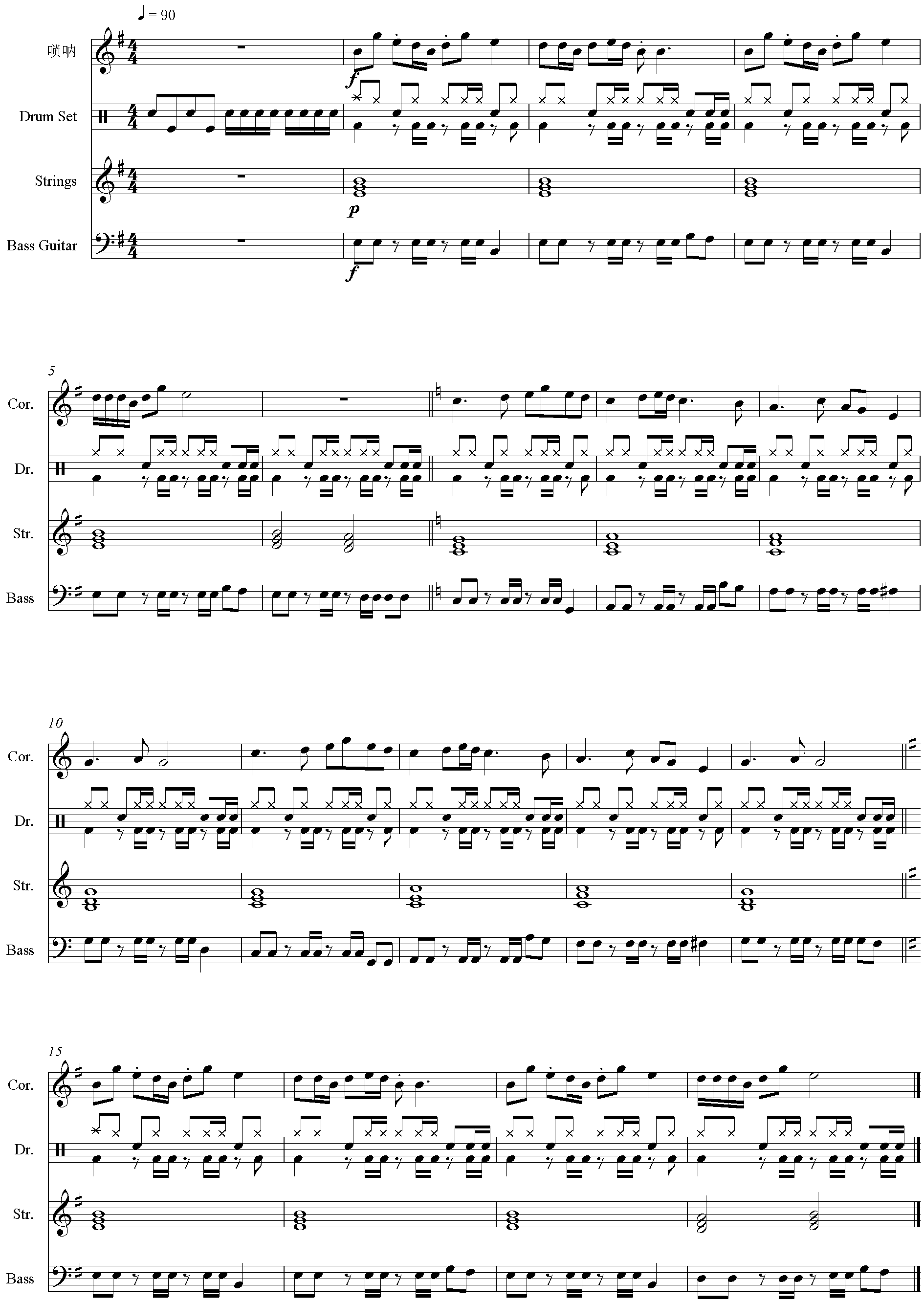
    Here’s a remix of Namewee’s famous CNY song that I wrote out of boredom:

    Namewee’s CNY Remix (MIDI, 5Kb)

    For those with old Nokia’ish phones and polyphonic ringtones, you can use the MIDI below.

    If you wish to get your band and a volunteer 唢呐 player, by all means. Here’s the score (click to enlarge) 😛

  • The Beauty of CLI

    While Apple has successfully proven to the world that a well designed Graphical User Interface (GUI) can indeed provide better user experience, the beauty of a good Command Line Interface (CLI) shouldn’t be forgotten either.

    A GUI works well in consumer environments (e.g. SOHO routers), but enterprises and service providers work a little differently.

    I work in a service provider environment and have seen quite a fair bit of “high end” technology products. (These are usually appliance or black box hardware, like firewalls, routers, load balancers, DPIs, etc.) My observation is that while a lot of them have a great solution to an engineering problem, they actually create a management problem. Why? Because of the lack of a proper CLI or a proper management tool.

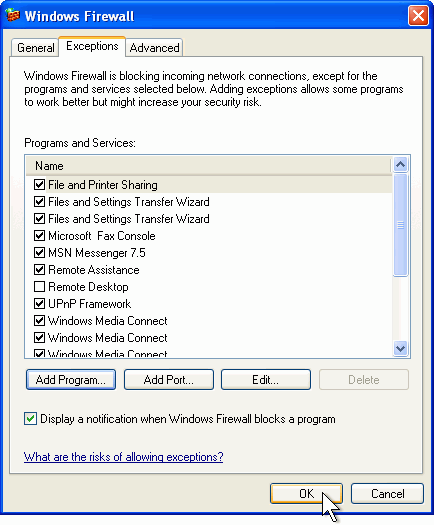
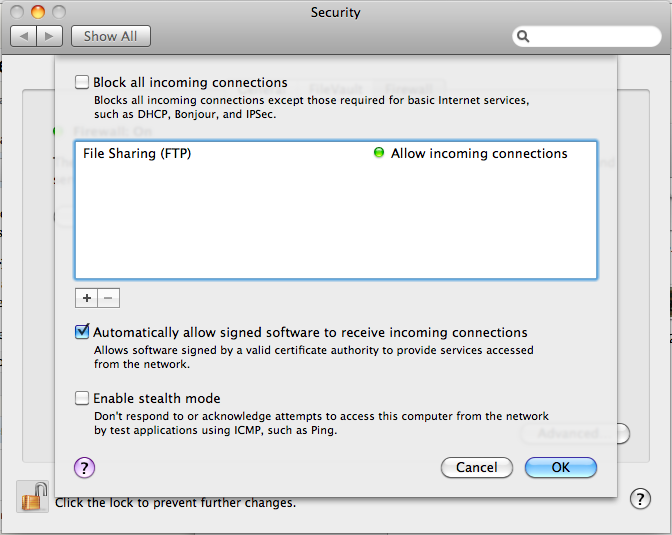
    There’s only so much a GUI can do to manage something as complicated as, say, a firewall. Check out the screenshots below taken from Mac OS X and Windows XP. They’re surprisingly complicated and not exactly useful. FYI, clicking on the [+] button on the Mac brings you to a file browser; I was expecting a form with IP address, port numbers and protocols.

    Windows XP Firewall Configuration
    Mac OS X Firewall Configuration

    So, how do I add a rule to allow my custom app running on UDP port 15,233? How do I tell the firewall to stop processing further rules if I see a certain TOS marked packet? These aren’t use cases for consumer firewalls, but in enterprises, rules like these are very common.

    Firewalls are actually simple examples of GUI gone wrong. However, there are way more complicated devices than firewalls around, such as load balancers, DPIs and all sorts of routing gear. The problem gets multiplied many folds when there are tens, hundreds or even thousands of these configurations to manage on multiple machines.

    While a fancy GUI gets you through a sales pitch with the higher management folks, it’s really a PITA for the guys (like me) running the show. There’s a certain beauty in CLIs that GUIs cannot emulate. One if them is duplication. It is extremely difficult to duplicate mouse clicks and menu navigation, not to mention getting around errors. Imagine you have 1,000 Windows XP machines. You need to add a new firewall rule to allow your users to access a new mail server. Without Active Directory, you’d have one hell of a time… clicking.

    The other pain of working in enterprise datacenters is the lack of remote access (thanks to NAT and VPN crap) or an actual monitor console. Many engineers run around with a laptop and a RS232 serial cable. That’s all that’s needed to manage a device on the run.

    So if you’re going to build something for the enterprise, particularly appliances/black box devices, please focus some effort on building a proper CLI or centralized management. Learn from the experts – there’s a reason why guys like Cisco, Juniper and Extreme are industry leaders.

  • Building a CF Card Disk Home Server

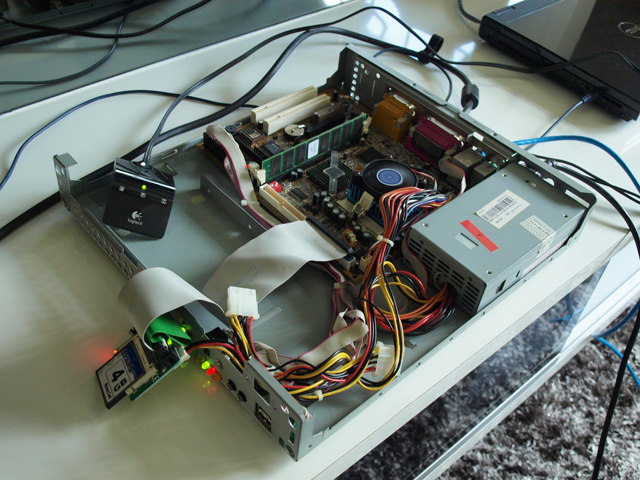
    Thought I would recycle some old systems in my house, so I dug up an ancient Book PC (Micro ATX?) running Celeron 1GHz with 128MB RAM and decided to do away with the risky hard drive that was generating lots of heat and rebuilt it with a CF card.

    Celeron 1GHz, 128MB RAM

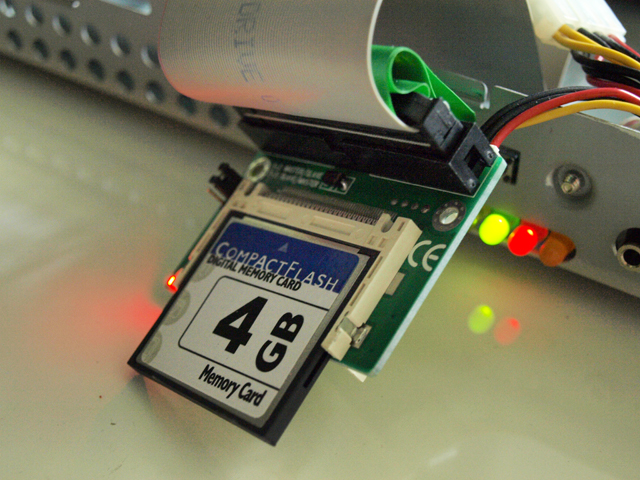
    I got myself several IDE to CF adapters off eBay and also two unbranded 4GB CF cards. Flash disks are getting quite affordable recently and this is a good way to repurpose an ancient machine without having to spend a bomb on SSDs (and maybe a SATA controller).

    IDE (PATA) to CF

    Installed CentOS and I’m off for several hours of Yum update. I’ll turn this into a home development box and print server. No X11 (GUI) on this thing. 128MB is no longer enough to do these fancy stuff on modern distros.

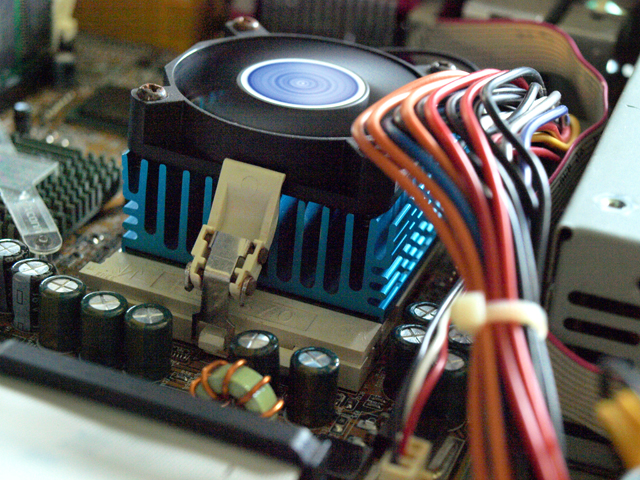
    Good old Socket 7

    One thing though, I’m looking for a more efficient and low profile heat sink/fan combo for Socket 7/370. I can’t find anywhere that sells these stuff now… at least not for a decent price.

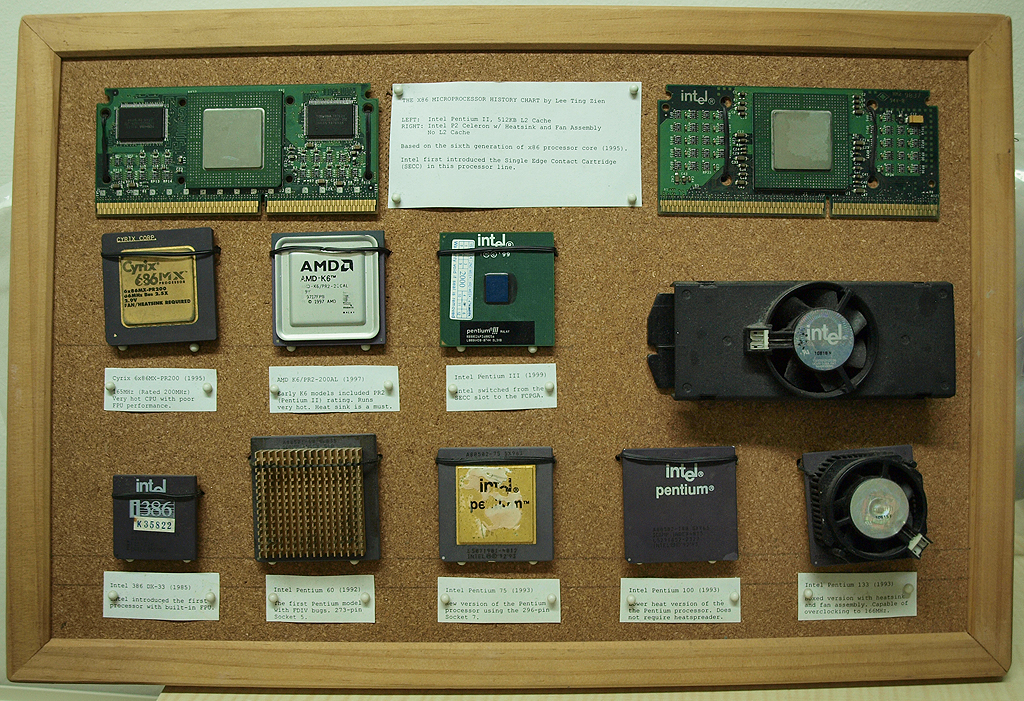
    P.S. Due to an ordering error I have two four extra IDE (PATA) to CF adapters. If you’d love to have them, please drop me a message and I’ll happily pass them to you. The wife while (true) { nags(); }takes revenge at my historical archive of  computer hardware, such as the CPU Hall of Fame below by buying more shoes and bags.

    My CPU Hall of Fame
  • No Real Use for Google Wave?

    I can’t seem to think of a very practical use for Google Wave. IMHO it’s a technology that’s neither here nor there. It’s not a very effective replacement for e-mail either as it’s not a scalable model. It’s not exactly a great collaborative tool as well though I agree maybe it has good use for taking meeting minutes and random notes. It’s certainly not a good file sharing or document editing tool.

    I’ve been thinking quite a bit on what I can really do with Wave. It’s frustrating actually 😛

    On a side note, it’s surprising how the ancient DNS and SMTP protocols we take for granted scaled so well. IETF and IEEE are a bunch of geniuses.

  • World Class Troubleshooting

    I’m sitting in a client’s office and just two cubicles away, this guy is on the phone with another guy trying to troubleshoot something.

    “Hello? Yah, yah? What is wrong?”

    Few seconds later…

    “Oh, can you go inside? Erm… edit the file?”

    Few seconds later…

    “Yah, use pico open the file.”

    One or two seconds later…

    “Pico don’t have? What you use? Nano? Don’t use nano. You try pico?”

    Few seconds later…

    “No pico? Install pico and try?”

    Few seconds later…

    “OK, you call back. Yah. OK, thanks, bye.”

    So he concluded the guy used the wrong editor? 😛 Few minutes later, he makes a call to someone else.

    “Hi, yah, er, ask you ah, how you see the Linux is 386 or 686 or x64?”

    Two seconds later..

    “Oh like that ah. Use you-name lah. OK. Then, then… like that I cannot install the 386 on 64bit lah?”

    Wahlaueh, it drives me nuts just listening to the conversation 😛 Heng I don’t have to work with these people.