Category: Lifestyle & Hobbies

  • NovelKeys x Kalih Big Switch Case and Software

    I got 3 NovelKeys x Kalih Big Switches as a gift some time ago and decided to finally put them together. I made a single version and a dual version, and then made my kids try playing Geometry Dash on it.

    Tip: If you want to save your ears, don’t buy the clicky version for a game like Geometry Dash.

    GitHub Repository: https://github.com/detach8/bigswitch

    Single Switch

    The Single Switch case is made out of a one-piece 3D printed frame, with the PCB mounted at the bottom.

    3D print

    Parts to buy

    • PCBBig Switch PCB (keeb.io)
    • Pro Micro (ATmega32U4) – buy separately and solder it to the PCB yourself
    • Screws: 4x M2x10

    Assembly

    1. Slot the PCB from the bottom and screw it into place using 4x M2x10 screws.
    2. Install the switch from the top (spot-solder the pins, or use a spacer if they’re loose and you’d rather not solder).

    Double Switch

    The Double Switch case is made out of a two-piece 3D printed construction, with the PCB sandwiched in between the two – to be precise, it is mounted on top of the bottom frame.

    3D print

    Parts to buy

    • PCBTukey 1×2 Big Switch Macropad (keeb.io)
    • Pro Micro (ATmega32U4) – buy separately and solder it to the PCB yourself
    • Screws for PCB: 8x M3x6 + 8x M3x3 heat-set inserts
    • Screws for Case: 5x M3x10 + 5x M3x4 heat-set inserts

    Assembly

    1. Affix the 8 M3x3 heat-set inserts on the bottom case for the PCB. It should match the 8 screw holes of the PCB.
    2. Screw the PCB onto the bottom case. (The PCB sits on top.)
    3. Affix the 5 M3x4 heat-set inserts on the top case for the mating screws.
    4. Screw the top and bottom cases together.
    5. Install the switches from the top (spot-solder the pins, or use a spacer if they’re loose and you’d rather not solder).

    Spacers for loose switch pins

    I made two thin shims for contact pins because they were rather loose – especially the double switch (Keeb.io Tukey 1×2 Macropad) PCB.

    Stuffing one of these into the contact slots would help hold the pin snug without solder — useful if you don’t want to solder the switches in. Two variants are available: 0.6mm (marked “6”) and 0.8mm (marked “8”).

    That said, spot-soldering the switch pins is recommended. It’s a more reliable, permanent connection than a friction-fit spacer.

    Software

    I originally wrote simple, hardcoded code using Arduino IDE, but decided to explore QMK (and later VIA) since I’ve never done that before.

    Both run on a promicro (ATmega32U4, Caterina bootloader) and managed to get VIA support built in.

    1. Flash the firmware

    Prebuilt firmware (the via keymap) is already in firmware/ — most people can just flash this and skip straight to configuring it with VIA. No build environment needed for this step.

    1. Install QMK Toolbox.
    2. Open QMK Toolbox and load the .hex file for your board:
    3. Put the board into its bootloader (Pro Micro / Caterina):
      • Briefly short the GND and RST pins on the Pro Micro twice in quick succession (within about a second).
      • The onboard LED will pulse/fade to indicate bootloader mode, and a new serial port will appear briefly.
    4. Click Flash in QMK Toolbox as soon as the board enters bootloader mode.
    5. Wait for “Flash complete” in the log, then unplug/replug the board.

    Prefer the command line? With the board in bootloader mode:

    2. Configure with VIA

    These boards aren’t in VIA’s official keyboard registry, so you load their definitions manually via VIA’s Design tab:

    1. Go to https://www.usevia.app/.
    2. Open Settings (gear icon) → enable Show Design tab. A new paint brush icon appears.
    3. Open Design (paint brush icon) → Load Draft Definition and select the JSON matching your board:
    4. Plug in the flashed keyboard. VIA should detect it automatically by its VID/PID and switch to the Configure tab.
    5. Click each key in the layout diagram and assign a new keycode from the panel on the right. Changes apply instantly.

    The rest of this section is only for building your own firmware from source (custom keycodes, layers, or hardware changes).

    3. Install QMK MSYS

    Tip: Skip this and the next section if the prebuilt firmware and VIA remapping above already do what you need — you don’t need a build environment just to flash and remap keys.

    Warning: VIA compatibility requires QMK 0.25.x. As of this writing (September 2026), VIA only understands keymap format version 8. QMK moved to keymap version 9 after the 0.25.x release line, and current VIA builds do not support it — a firmware built from a newer QMK will not be recognized by VIA (it’ll complain that the keymap version is unsupported). If you’re building your own firmware for use with VIA, make sure your qmk_firmware checkout is pinned to a 0.25.x.

    QMK MSYS is the all-in-one Windows build environment for QMK (bundles the toolchain, Git, and the qmk CLI). On macOS/Linux, use the regular QMK CLI setup instead.

    1. Download the latest installer from msys.qmk.fm (or the qmk_distro-msys releases page).
    2. Run the installer and launch QMK MSYS from the Start menu.
    3. Clone QMK and set up your build environment:qmk setupAccept the defaults.This clones qmk_firmware into your home directory and installs the AVR/ARM toolchains.
    4. Checkout a VIA-compatible release.The previous step checks out the latest master, which is on keymap version 9 and will produce firmware VIA can’t configure. Check out a 0.25.x tag instead:cd ~/qmk_firmware git fetch –tags git checkout 0.25.22 # or the latest 0.25.x tag qmk git-submodule
    5. Confirm everything is working:qmk doctor
    6. Copy this repository’s keyboards/tzlee folder into your QMK keyboards/ folder so QMK can find it:cp -r keyboards/tzlee ~/qmk_firmware/keyboards/tzleeFrom here on, all qmk/make commands are run from inside your qmk_firmware checkout (you can cd ~/qmk_firmware in the QMK MSYS terminal).

    4. Modify the QMK defs and build/flash your own version

    Everything about a board lives under keyboards/tzlee/<board>/.

    • Change the keymap (what each key sends): edit keyboards/tzlee/<board>/keymaps/via/keymap.c (keeps VIA support), or keyboards/tzlee/<board>/keymaps/default/keymap.c (no VIA). Add more layers, tap dance, macros, etc. as with any QMK keymap.
    • Change hardware definitions (matrix pins, VID/PID, diode direction): edit keyboards/tzlee/<board>/keyboard.json. If you change the VID/PID or the matrix layout, update the matching file in via/ to match, so VIA can still recognize the board and map its keys correctly.
    • Add a new keymap of your own instead of editing via/default in place:qmk new-keymap -kb tzlee/bigswitch_single

    Build and flash (from inside qmk_firmware, board plugged in and in bootloader mode):

    # Build only
    qmk compile -kb tzlee/bigswitch_single -km via
    
    # Build and flash in one step
    qmk flash -kb tzlee/bigswitch_single -km via

    Swap bigswitch_single for bigswitch_double, and via for the name of any keymap you created. The resulting .hex is written to the qmk_firmware root (or the location qmk compile reports) — copy it into firmware/ here if you want to keep it alongside the prebuilt ones.
  • What film photography taught me about being intentional

    What film photography taught me about being intentional

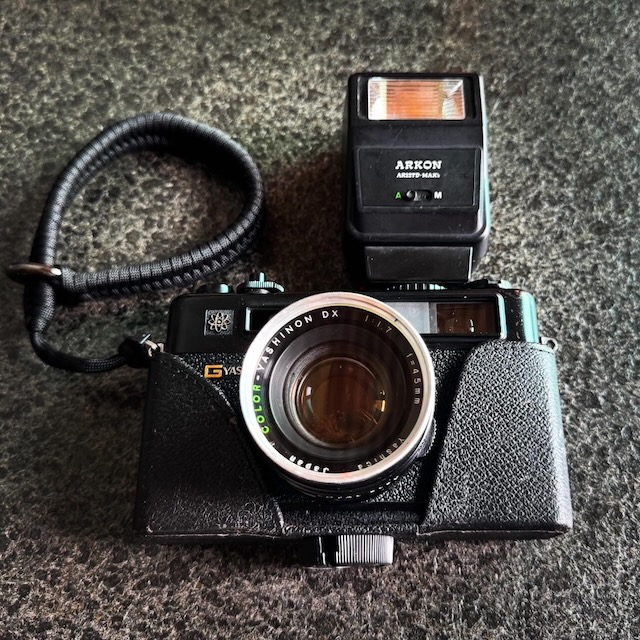
    My mum gifted an old 1970s Yashica film camera. When I got it, it was all mouldy and I had to get it serviced, but after that the first roll of photos genuinely surprised me.

    With a roll of only 36 shots, and a manual focus, every shot mattered. There was no preview, no delete, no room for mistakes. Every photo I took required me to slow down, become more intentional, and decide whether I should press the shutter (and many times, I didn’t)

    When writing software was harder, we had to think deeply before we wrote code. Architecture mattered. User workflows mattered. Every screen, every interaction, every database table existed because someone had thought through it.

    I remember the days of text-based user interfaces (TUI). Users navigated applications almost entirely with the keyboard, jumping between fields with TAB and F1-10 keys and other shortcuts. Experienced operators could enter data at astonishing speeds — it’s hard to describe and you’ll need to see it to believe it. The screens were designed with great intention because if the inherent limitations of the TUI.

    Then graphical interfaces (GUIs) arrived. GUIs unlocked entirely new possibilities, but it also arguably made some software harder to use. “It’ll take time to adapt” people said, but after years, I have never seen anyone enter data that quickly, ever.

    Now, the cost of adding another button, another dialog, another menu, another setting is almost zero. As software became easier to build, it also became easier to make it more complicated. Today, AI is accelerating this trend even further.

    Generating code is becoming almost effortless. Creating mockups takes minutes instead of days. Entire applications can be scaffolded in an afternoon.
    These are incredible advances, no doubt, but when creation becomes almost free, there’s a subtle danger: we stop asking whether something should exist, because we’re focused on how quickly we can build it.

    It’s easy to generate another feature.

    It’s much harder to decide that a feature shouldn’t exist at all.

    The same applies to user interfaces. Every additional button, every extra menu, every configuration option adds a tiny amount of cognitive load. Individually they’re insignificant. Collectively they become the reason software feels bloated.

    The constraint isn’t writing code anymore.

    It is the lack of intention.

    Film photography taught me that limitations can improve quality because they force intention. Perhaps the future of software isn’t about who can generate the most code, but about who can exercise the most restraint.

  • Open Letter to Ministry of Transport to implement SimplyGo Express Travel Card

    Dear <REDACTED>

    Hope this email finds you well. I would like to ask MOT why our SimplyGo isn’t available as an Express Travel Card on Apple’s iOS.

    If you use an iPhone and have been to other countries including Japan, HK, China, Korea and even USA, their travel cards are available in the Apple Wallet and it is very convenient.

    The Express Travel Card allows it to be used without authentication (Face ID) and can even be used when the phone battery is flat. It’s designed for fast entry and exit so users can simply tap their phone without ever having to open up the wallet app and authenticating before presenting the card to the reader.

    In addition, the availability of the travel card on the phone reduces the need for users to buy a physical card, or download and additional app. It’s not only more environmentally friendly – it will also be much more convenient for tourists.

    I hope MOT will consider asking SimplyGo to implement the Express Travel Card on Apple’s iOS. Singapore prides itself as one of the top places in the world for public transportation, and we should keep up with the times.

    For more information:
    https://support.apple.com/en-sg/105123

    Best Regards,
    Justin Lee

  • Ten years of memories

    Ten years of memories

    I resigned from my previous job and joined a new one in 2020 – just right before the whole COVID-19 pandemic started.

    The “previous job” wasn’t just a job. It was a job I had for almost ten years since 2010. Ten years in the Tech industry today is quite unheard of – but I think many people do not stay long enough these days to see through the gravity of decisions they made and clean up the sh*t along the way.

    I was (and still am today) a Director of the business entity in Singapore. Since I am (still) a Director, I didn’t have to vacate my desk like a normal resigning employee would; I had intended to do so over several weeks or months, but COVID struck, and then weeks became months, months became years.

    It’s now September 2021 – almost two years from when I had resigned from my “previous job” and all my stuff are still in the office. Ten years of stuff to be precise. The office is undergoing a refresh now, so I decided it is really time to vacate my luxurious corner seat for those who deserve it, but as I start clearing out my desk I can’t help but feel very emotional…

    Ten years didn’t go by quickly, yet it felt like it was yesterday. I left a job as a Systems Engineer working shifts and camping in telco data centers to start the Singapore business operations for a small US-based boutique web hosting company. It was a bump in both my job responsibilities and salary.

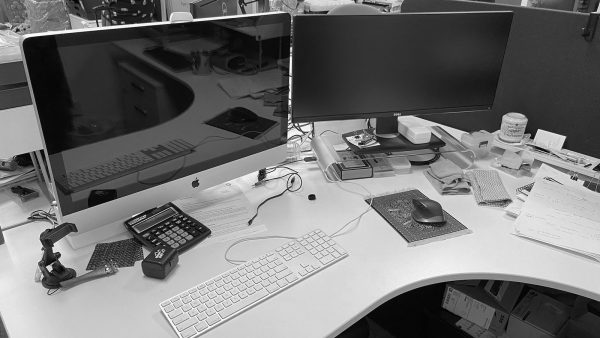
    I have made the office my second home. As I pack my cubicle, every piece brings memories. Regretfully, I did not manage to take a photo of my entire desk area before I started clearing it out.

    Family

    There’s a bronze horse and another wooden pen holder with horse carvings – an item my dad handed down to me when I first “started” the business here. It is to wish me success: “马到成功” in Chinese. It reminds me that my family was behind me in all my endeavors.

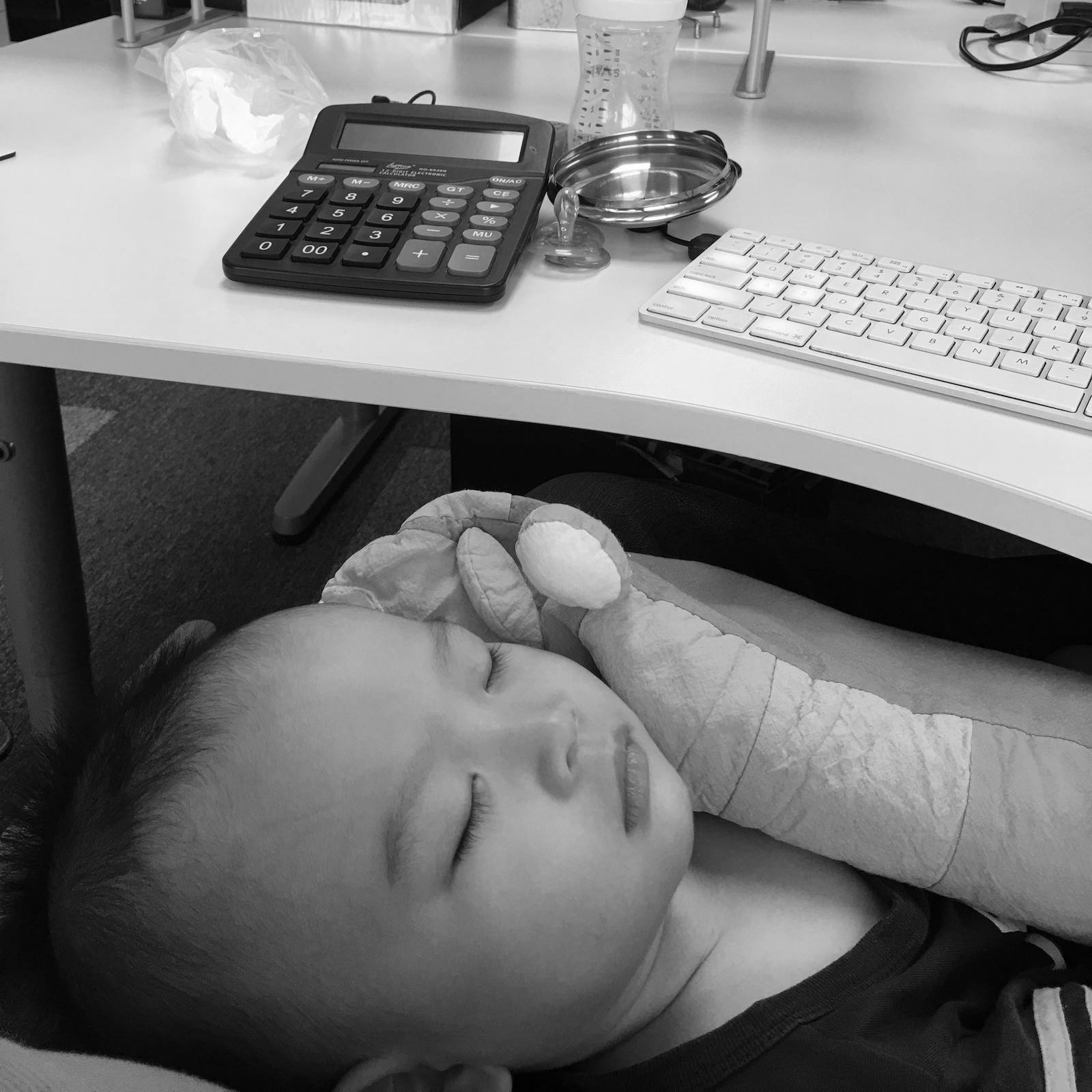
    A photo of my wife and eldest son sits on a photo frame. I still recall when my son was around 1.5 years old I had to bring him to the office because the school was closed and I carried him in my arms while I worked at the office. It reminds me that sometimes you can’t separate work and family and it will always be a challenge to manage them both.

    My son sleeping on my lap while I’m at my desk, 11 October 2016

    Change

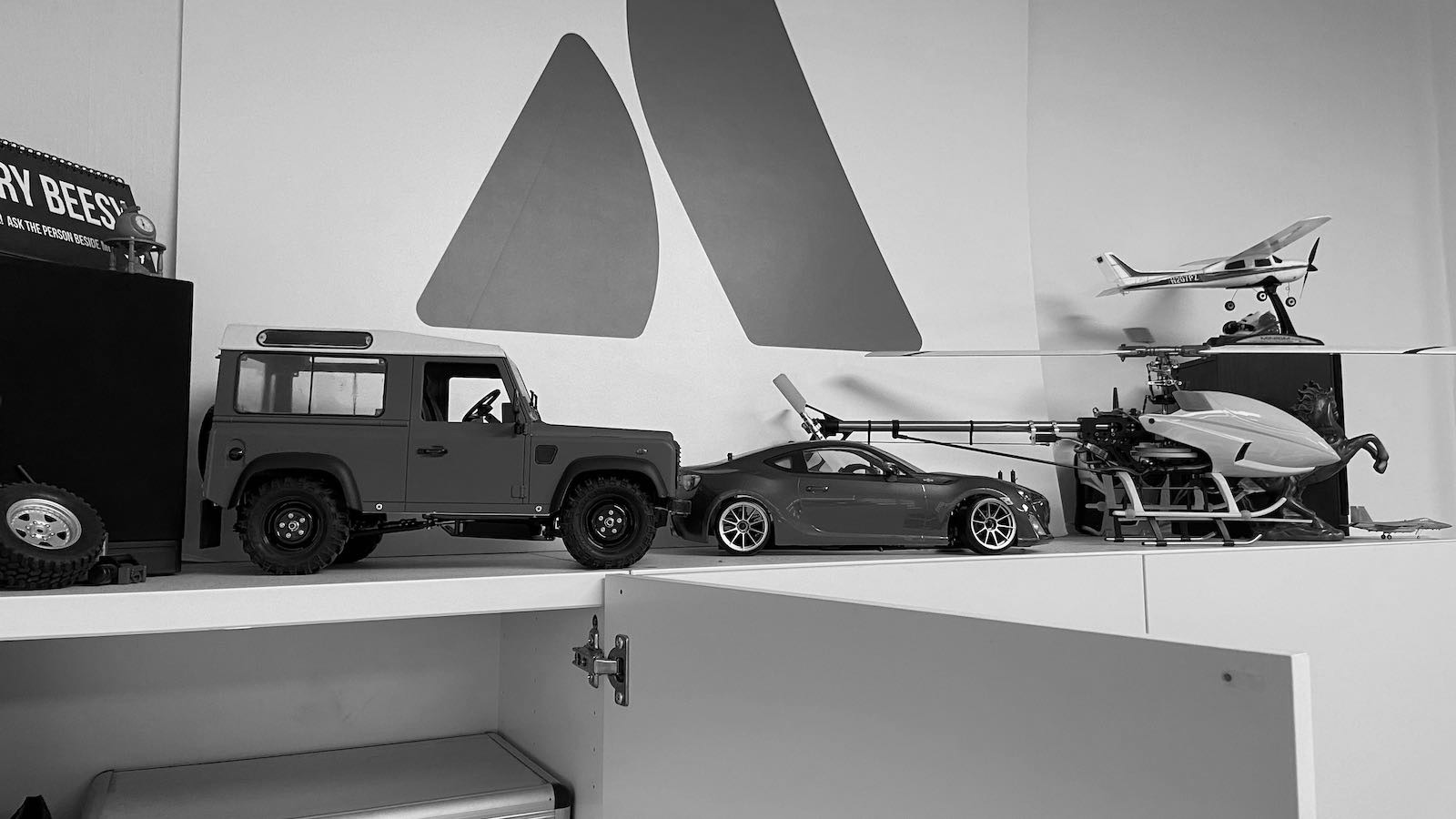
    I have a few R/C models on display and they’ve been sitting there for as long as I could remember. I had hoped to eventually pick up the hobby again but never did, and they remain as display items ever since. It reminds me that our priorities in life change and that change is the only constant.

    Old toys on display

    Learning

    I moved a bunch of books from my shelf to the common area bookshelf. Some of these books are from my tertiary education days; some on advanced topics that were not part of the regular school curriculum. There were also books bought during the course of work. However, most of these old books are no longer useful as they are outdated. It reminds me that learning never stops.

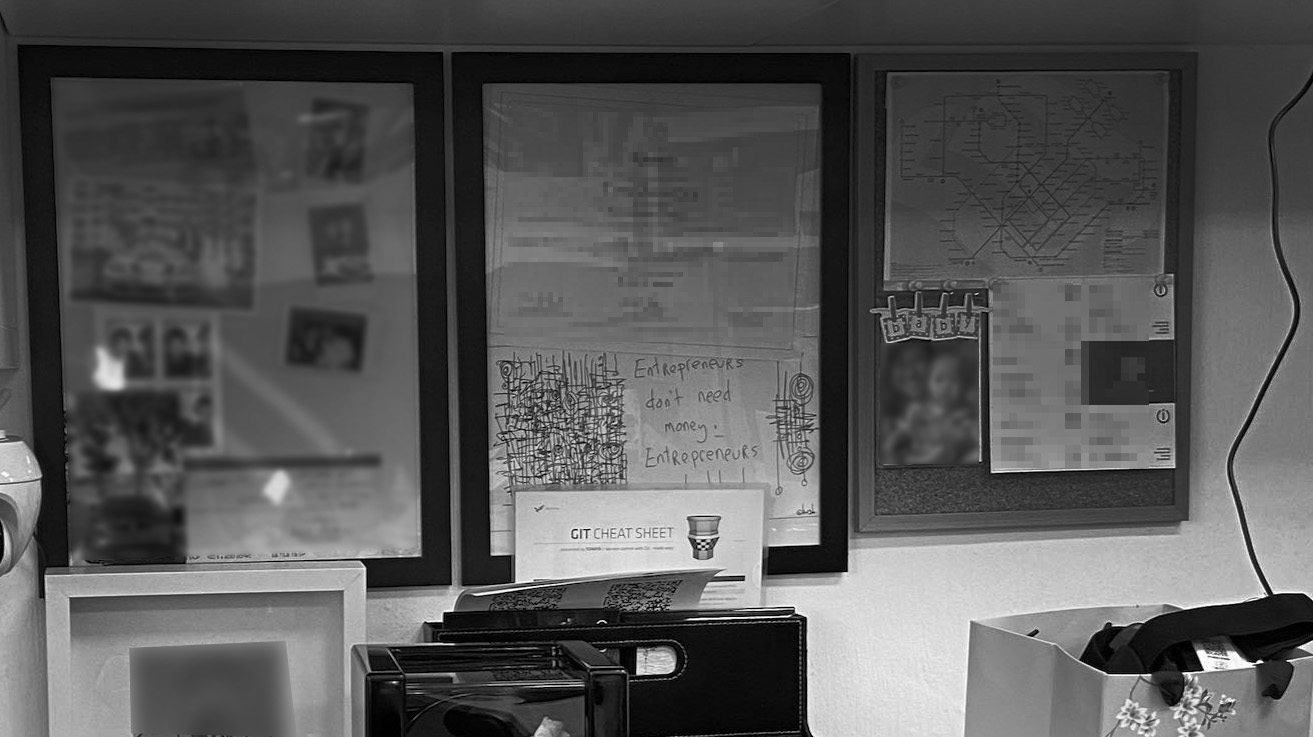
    I found a git cheat sheet hiding in a corner. I had printed it when I was first learning git, and had intended to use it but never did because Googling was just faster and easier. It reminds me that sometimes learning is not always a straight path.

    See the Git Cheat Sheet?

    I look at the 3D printer in the corner of my cubicle. I had purchased it on impulse as a birthday gift for myself in 2018. In fact, I was so busy during the period that I did not assemble it until a month later and it took me many attempts before I was able to print something decent. I have since used it to print many items for myself and even friends and colleagues to make replacement parts for real things, including car parts. It reminds me that sometimes you can learn new things as long as you try, and you’ll not know the real value of what was learned until later.

    Creality Ender 3 – covered in plastic to keep our the dust

    Health

    I pull out a booklet containing healthcare insurance policies that we have purchased only recently. Over the years I have paid out-of-pocket for several medical procedures, and do not want that to happen to any employees and have pushed to have this in place. It also reminds me that health is still the most important.

    People

    I look at all the stuff around my cubicle – gifts, items from events, business cards, etc. It reminds me of the number of people with whom I have crossed paths.

    I pull out a file containing the CV of every candidate I have interviewed and made an offer to over the years – some still current employees.

    These remind me that at the end of the day, we do not work alone.

    I look around the office and see the cubicles and desks of everyone. A company that was just two persons grown to a size of 7 and is profitable – not some VC-funded thing – reminds me of the constant struggles during the early phases as we tried to turn a profit.

    I am proud of the team, and my departure is probably timely because the situation makes the people. COVID-19 is a trying time, but in trying times lie opportunities.

    Off to my next adventure, and I hope to write a similar entry at the end of it.

  • Hope for humanity

    Hope for humanity

    As a kid, I was fascinated by anything that could fly – planes, helicopters, rockets. It was a privilege to be able to fly on a plane back then, as it was still relatively expensive and only middle-high income families could afford.

    In my mid twenties (around 2006), I took up remote control helicopters and planes as a hobby. I still remember I spent almost half a year learning how to hover an R/C helicopter, practicing almost every night at my void deck.

    Me flying a Multiplex EasyGlider (first generation) at Bedok Reservoir, a common place for “sloping”. R/C gliders are flown without motor power and are kept afloat by air currents.

    I wanted to attach a camera to my plane so I could get a view from above, but I was too early to the hobby and the technology wasn’t really available or was too expensive. Wireless first-person view (FPV) cameras and headsets matured several years later. By then, I was a busy working adult and dropped the hobby.

    Almost a decade later, the technology had gotten so advanced we could buy it in a single package under $1,000 as a Drone that is not only self-stabilising, but also capable of obstacle avoidance and autopilot. I unexpectedly acquired a DJI Mavic Pro in late 2017 (a story for another day), but never really gotten around flying it. Now it is practically banned everywhere.

    So why the interest in flying? When I was young, I read about the first man on the moon. I’ve always wondered how it would be like to be “flying”, and to experience weightlessness in space. I was still too young to understand what a feat it was to get to the moon back then, but my child’s recent interest in space and our solar system piqued my own interest again, so I bought a telescope and started looking up to the skies again like a curious child.

    And for the first time in my life (and my lucky kid as well) at the age of 38, I got to see Jupiter and Saturn for real.

    Some people laugh and ask: What’s the big deal? These pictures suck. We have super clear pictures of Jupiter and Saturn all over the Internet.

    Sure, but it’s different to actually see it for yourself than to see a photo on the Internet. Looking through a telescope, you know these aren’t just something you read in the book – the planets are really out there. You also get a sense of how vast space is.

    You know, people dream of many things… big house, being rich, being powerful, this and that, but I salute those (like Elon Musk) who dream of the impossible: getting the heck out of Earth, because that is a whole other level of dreaming.

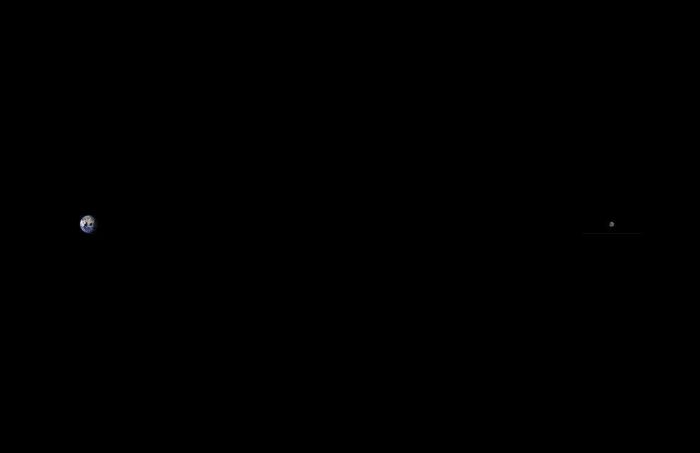
    Distance between the Earth and Moon, to scale.
    (Image credits: Wikipedia)

    If you followed the SpaceX Dragon Demo-2 mission, the journey to the ISS seemed like a big trip, but the moon (384,000km) in comparison is a thousand times further than the ISS (340km). Sure, most of the effort was actually to get out of Earth’s gravity, but it’s still a long ways to the moon.

    51 years ago (1969) we landed the first man on the moon. The Apollo rockets were (mostly) hand-made. This was before we even had the Internet, when most TVs were still black and white. There were no 3D printers, no modern computer design, modelling or simulation. Everything was calculated by hand. Yet we were able to send man to the moon and back. It was so unthinkable that there were conspiracy theories.

    With all the technological and manufacturing advancements, I wonder why haven’t we developed commercial space flight earlier?

    I certainly hope we get to see commercial space travel this decade, which looks to be a reality soon.

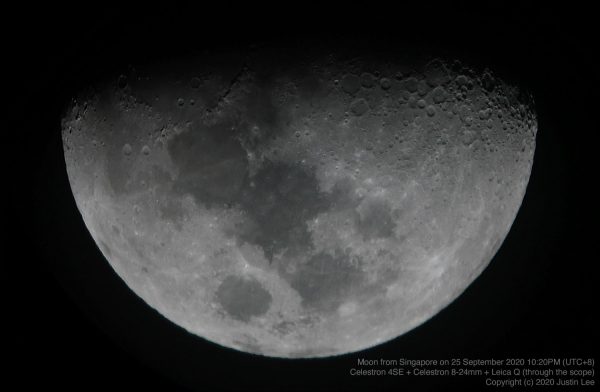
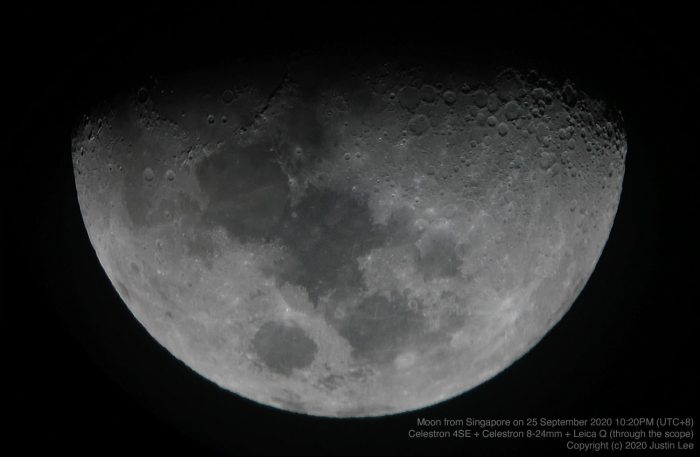
    Photo of the moon, taken from my bedroom with a Celestron 4SE telescope.

    I also hope to be alive to see the first man on Mars.

    As long as we keep trying, there’s still hope for humanity. The COVID-19 pandemic shows how important it is to be able to sustain life outside our own planet because one day another virus might just wipe all of us out.

    We need to stop fighting each other and work towards saving our own kind, and I believe that the answer is in space travel.

  • Why you SHOULD chope your seat, especially during COVID-19

    Chope culture. A uniquely Singaporean culture where diners at open food centers place small items such as tissue packets, business cards or water bottles to reserve a table or seat.

    I know many people are not in favour of this, and I personally used to hate it, but let me explain using the logic of parallelism that it is in fact more efficient. Everybody should chope their seats and split up and quickly order their meals, so that they can convene, eat, and leave ASAP – especially during this COVID-19 situation where half the seats have been crossed out for safe distancing. Quicker turnaround means more people get their seats, less community spread, etc.

    … using the logic of parallelism that (chope culture) is in fact more efficient

    The other reason to socially accept the “chope” culture is because those eating alone or carrying a child can find it very difficult to find a seat without a companion.

    So why do people hate it? Because “chope” is not gracious? Rubbish lah. It’s exactly because we are ungracious – when we want a seat, we feel a sense of entitlement to a vacant seat. We see an inanimate object, and feel that it doesn’t deserve a “seat”. Seriously, what’s the difference between a tissue packet and a fully grown man waiting at the table?

    … what’s the difference between a tissue packet and a fully grown man waiting at the table?

    With that, I shall share a true story…


    I went to ABC brickworks hawker this afternoon Tuesday 28 Jul 2020 at around 1PM to eat lunch with my colleague. We placed one tissue + Fisherman’s Friend on table to “chope” a 2 pax table, and quickly left to order our food.

    Then this father (50+) and his son (20+) duo came, sat down, and moved our “chope” away. (I saw with my own eyes as my stall is nearby.)

    Then when we returned, the son initially denied moving the tissue, then the father came and say our tissue never put in the center, cannot see properly, etc. etc. A big pack of lies.

    So I said: “Please lah, it was in the middle. I saw you move it, so please admit it.”

    OK, they left. Then we started eating.

    Eat halfway, the uncle came back and started scolding us. Say this is neighbourhood hawker, no such thing as reservation, etc. etc.

    I say, please lah, we “chope”, quickly order, quickly eat, quickly go. Isn’t it more efficient than one person sit, one person order and take turns?

    Then he started lecturing us, “You listen carefully (你听好好), I tell you (我跟你讲), this place is not CBD, not restaurant, this is neighbourhood, etc. etc.”

    A lot of hokkien arguments ensued (when I switch to hokkien, things are getting serious…)

    I said, look, so what you want? Limpeh eating my lunch halfway. Say sorry? OK, “sorry”. Now, leave and let me eat my lunch. Then you still not happy, what you want? Call police?

    Then after my meal, I turned around briefly looking for a stall to order drinks. Then I heard the uncle shouting from his seat: “Come lah, come come. Come!!” I didn’t even see them – they were sitting at another table. That’s when I realised they were behind, still wanting to pick a fight. ¯\_(ツ)_/¯


    We went, ate, and left all under 20 minutes. Including the 3 minutes or so spent arguing with the uncle.

    Please, “chope” is more efficient. Trust me, I’m an engineer.