As a kid, I was fascinated by anything that could fly – planes, helicopters, rockets. It was a privilege to be able to fly on a plane back then, as it was still relatively expensive and only middle-high income families could afford.
In my mid twenties (around 2006), I took up remote control helicopters and planes as a hobby. I still remember I spent almost half a year learning how to hover an R/C helicopter, practicing almost every night at my void deck.
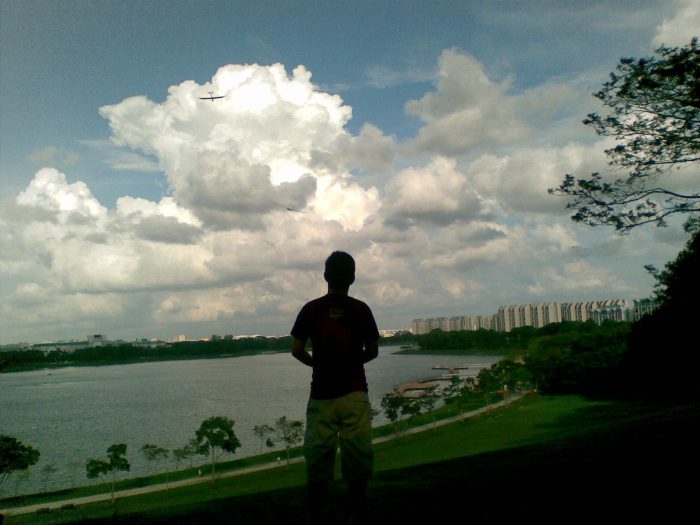
Me flying a Multiplex EasyGlider (first generation) at Bedok Reservoir, a common place for “sloping”. R/C gliders are flown without motor power and are kept afloat by air currents.
I wanted to attach a camera to my plane so I could get a view from above, but I was too early to the hobby and the technology wasn’t really available or was too expensive. Wireless first-person view (FPV) cameras and headsets matured several years later. By then, I was a busy working adult and dropped the hobby.
Almost a decade later, the technology had gotten so advanced we could buy it in a single package under $1,000 as a Drone that is not only self-stabilising, but also capable of obstacle avoidance and autopilot. I unexpectedly acquired a DJI Mavic Pro in late 2017 (a story for another day), but never really gotten around flying it. Now it is practically banned everywhere.
So why the interest in flying? When I was young, I read about the first man on the moon. I’ve always wondered how it would be like to be “flying”, and to experience weightlessness in space. I was still too young to understand what a feat it was to get to the moon back then, but my child’s recent interest in space and our solar system piqued my own interest again, so I bought a telescope and started looking up to the skies again like a curious child.
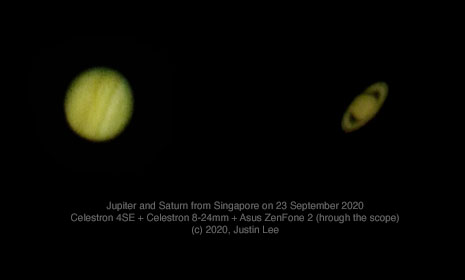
And for the first time in my life (and my lucky kid as well) at the age of 38, I got to see Jupiter and Saturn for real.
Some people laugh and ask: What’s the big deal? These pictures suck. We have super clear pictures of Jupiter and Saturn all over the Internet.
Sure, but it’s different to actually see it for yourself than to see a photo on the Internet. Looking through a telescope, you know these aren’t just something you read in the book – the planets are really out there. You also get a sense of how vast space is.
You know, people dream of many things… big house, being rich, being powerful, this and that, but I salute those (like Elon Musk) who dream of the impossible: getting the heck out of Earth, because that is a whole other level of dreaming.
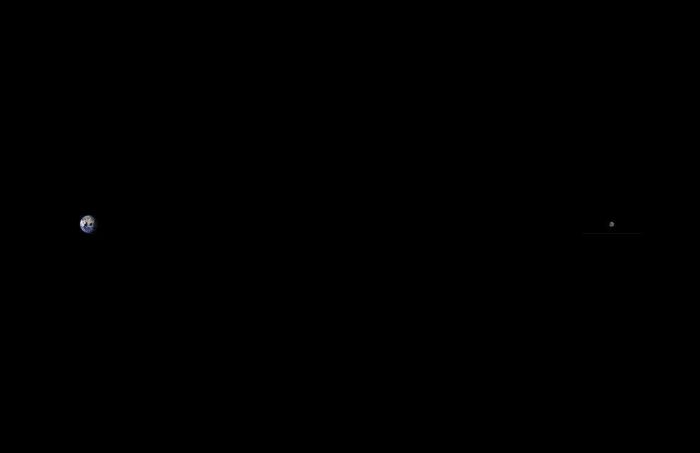
Distance between the Earth and Moon, to scale. (Image credits: Wikipedia)
If you followed the SpaceX Dragon Demo-2 mission, the journey to the ISS seemed like a big trip, but the moon (384,000km) in comparison is a thousand times further than the ISS (340km). Sure, most of the effort was actually to get out of Earth’s gravity, but it’s still a long ways to the moon.
51 years ago (1969) we landed the first man on the moon. The Apollo rockets were (mostly) hand-made. This was before we even had the Internet, when most TVs were still black and white. There were no 3D printers, no modern computer design, modelling or simulation. Everything was calculated by hand. Yet we were able to send man to the moon and back. It was so unthinkable that there were conspiracy theories.
With all the technological and manufacturing advancements, I wonder why haven’t we developed commercial space flight earlier?
I certainly hope we get to see commercial space travel this decade, which looks to be a reality soon.
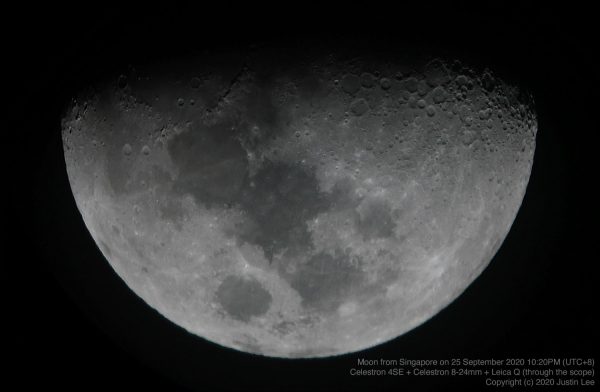
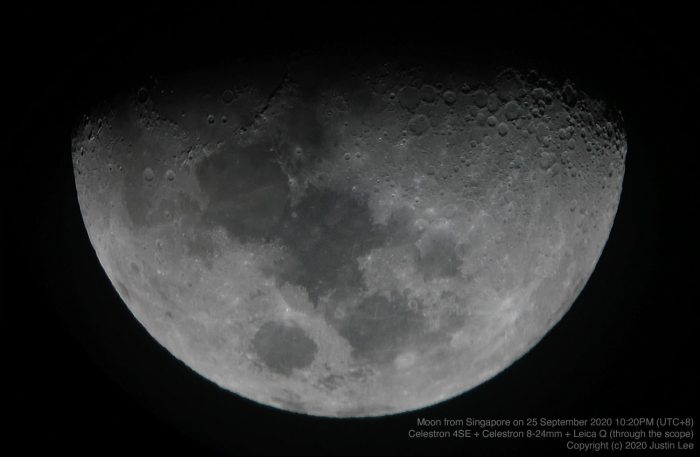
Photo of the moon, taken from my bedroom with a Celestron 4SE telescope.
I also hope to be alive to see the first man on Mars.
As long as we keep trying, there’s still hope for humanity. The COVID-19 pandemic shows how important it is to be able to sustain life outside our own planet because one day another virus might just wipe all of us out.
We need to stop fighting each other and work towards saving our own kind, and I believe that the answer is in space travel.
As an auto enthusiast, I’ve had my fair share of IU unit failures and also personally installed various in-car accessories such as cameras, GPS, bluetooth, etc.
I believe LTA has an expert panel, but I hope some of my opinions here can persuade the Transport Ministry to reconsider the following:
Processing unit location
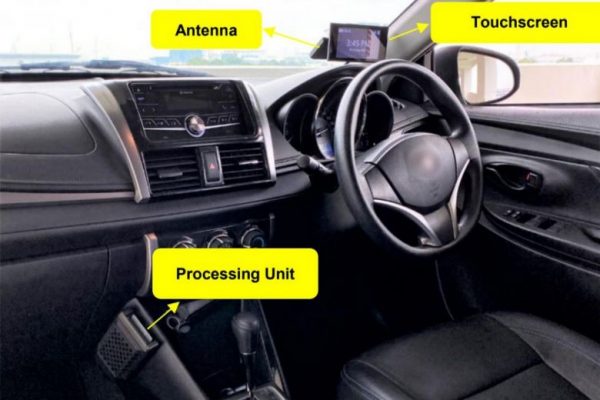
The photo shows the unit installed on the passenger side and I certainly hope this will not be the case. It should be located under the driver’s dashboard.
While I think it is a good idea to reduce heat by relocating the processing unit in the car, the amount of effort required to install a device across the center console can sometimes be tremendous – especially in modern cars where there’s so much equipment and cabling already in the car.
If contractors do not wire it carefully, the wires can be tucked through areas where there may be sharp edges (e.g. metal brackets that hold the dashboard) which may lead to abrasion and eventually a wire breakage, or worse a short-circuit after years of heat and vibration.
Also an important consideration would be cable entanglement during dashboard removal which is sometimes necessary for air-con repairs. I have seen (existing) IU wires running across from the left to the right because the power is tapped from a fusebox located on the passenger side. In situations like these, wire breakage can happen when the dashboard is removed. Luckily the existing IU uses a simple two-wire 12V DC supply. If the new ones contain a data cable (for the antenna + display), it may require a full cable replacement.
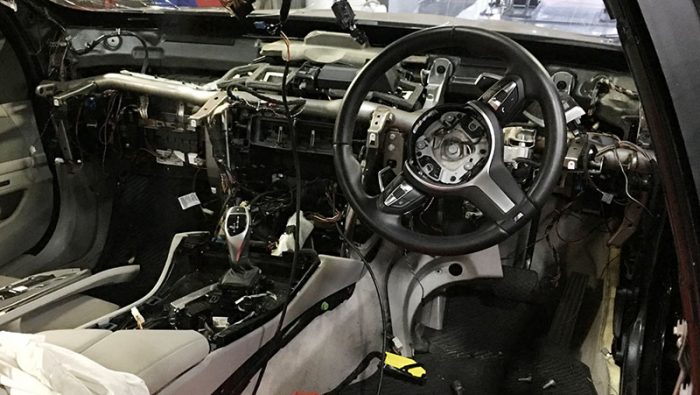
Cabling madness in a modern BMW 5 series
Adapter to fit Japanese vehicles that have ETC
LTA should also consider making the in-car processing unit conform to, or be available with an adapter that may be compatible with Japanese Domestic Market vehicles with a built-in ETC device so it can be tucked away neatly in the space designed.
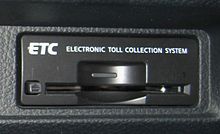
Japanese ETC unit integrated into the vehicle dashboard (Credits: Wikipedia)
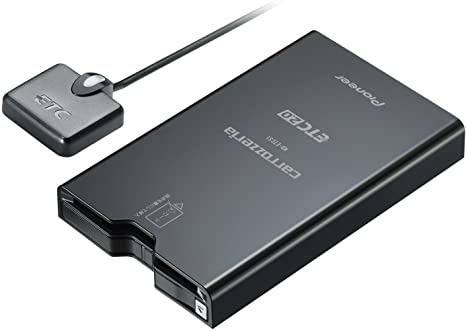
It is also worth noting the small size of the 2-piece Japanese ETC 2.0 units.
Japanese ETC unit is a 2-piece system with an external antenna and in-vehicle unit (Credits: Amazon)
No touchscreen please
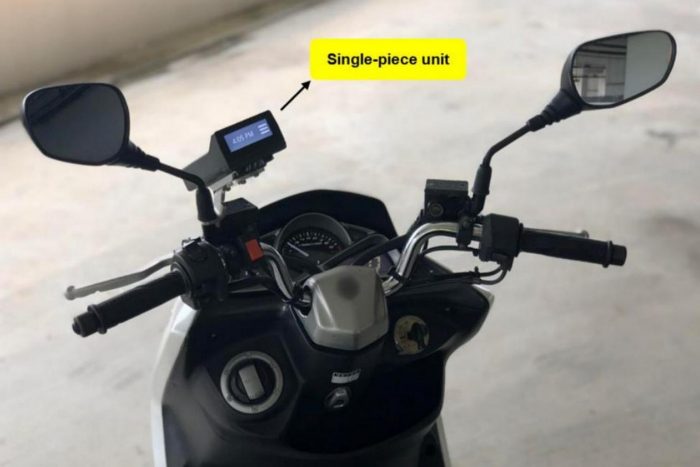
I certainly do not encourage adding any more touch devices to distract drivers – especially taxi/private hire drivers. The automotive industry has moved away from touch to voice-control or gesture-control, and I would hope that LTA reinstate the static display – similar to that of the bike.
Static display on a bike IU (Credits: LTA)
No screen! Use Bluetooth + App!
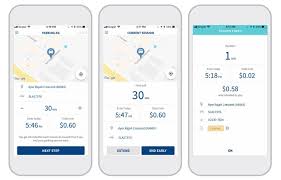
In fact, It would be a step up if the UI could be directly paired with a smartphone for the functions required and completely rely on a smartphone app. Similar to Parking.sg, wouldn’t it be awesome if I can top up and check my IU balance from my phone?
Parking.sg app is a great move towards a paperless society (Credits: MND)
If it can be app-enabled, then the screen can be made a removable or optional device. Simply unplug it, leaving the antenna.
Minister Ong’s remark on smartphone: “there will be operational issues like battery running out, forgetting to bring smartphones, etc.” is also not quite valid, since most of us would have been able to charge our smartphone in our vehicles, but regardless, the IU should not be dependent on the smartphone, or vice-versa. The smartphone simply gives us access to more information where required. This is similar to many in-car cameras, where there are no displays and all actions are performed through an app.
I understand there can be contractual obligations but if LTA can just get it right, we won’t have to go through ERP v4.0 in another 5-10 years. It’s a massive operation, and grandfathering bad designs can take a long, long time.
Chope culture. A uniquely Singaporean culture where diners at open food centers place small items such as tissue packets, business cards or water bottles to reserve a table or seat.
I know many people are not in favour of this, and I personally used to hate it, but let me explain using the logic of parallelism that it is in fact more efficient. Everybody should chope their seats and split up and quickly order their meals, so that they can convene, eat, and leave ASAP – especially during this COVID-19 situation where half the seats have been crossed out for safe distancing. Quicker turnaround means more people get their seats, less community spread, etc.
… using the logic of parallelism that (chope culture) is in fact more efficient
The other reason to socially accept the “chope” culture is because those eating alone or carrying a child can find it very difficult to find a seat without a companion.
So why do people hate it? Because “chope” is not gracious? Rubbish lah. It’s exactly because we are ungracious – when we want a seat, we feel a sense of entitlement to a vacant seat. We see an inanimate object, and feel that it doesn’t deserve a “seat”. Seriously, what’s the difference between a tissue packet and a fully grown man waiting at the table?
… what’s the difference between a tissue packet and a fully grown man waiting at the table?
With that, I shall share a true story…
I went to ABC brickworks hawker this afternoon Tuesday 28 Jul 2020 at around 1PM to eat lunch with my colleague. We placed one tissue + Fisherman’s Friend on table to “chope” a 2 pax table, and quickly left to order our food.
Then this father (50+) and his son (20+) duo came, sat down, and moved our “chope” away. (I saw with my own eyes as my stall is nearby.)
Then when we returned, the son initially denied moving the tissue, then the father came and say our tissue never put in the center, cannot see properly, etc. etc. A big pack of lies.
So I said: “Please lah, it was in the middle. I saw you move it, so please admit it.”
OK, they left. Then we started eating.
Eat halfway, the uncle came back and started scolding us. Say this is neighbourhood hawker, no such thing as reservation, etc. etc.
I say, please lah, we “chope”, quickly order, quickly eat, quickly go. Isn’t it more efficient than one person sit, one person order and take turns?
Then he started lecturing us, “You listen carefully (你听好好), I tell you (我跟你讲), this place is not CBD, not restaurant, this is neighbourhood, etc. etc.”
A lot of hokkien arguments ensued (when I switch to hokkien, things are getting serious…)
I said, look, so what you want? Limpeh eating my lunch halfway. Say sorry? OK, “sorry”. Now, leave and let me eat my lunch. Then you still not happy, what you want? Call police?
Then after my meal, I turned around briefly looking for a stall to order drinks. Then I heard the uncle shouting from his seat: “Come lah, come come. Come!!” I didn’t even see them – they were sitting at another table. That’s when I realised they were behind, still wanting to pick a fight. ¯\_(ツ)_/¯
We went, ate, and left all under 20 minutes. Including the 3 minutes or so spent arguing with the uncle.
Please, “chope” is more efficient. Trust me, I’m an engineer.
After installing the drivers (by following the instructions here), I realised that the X/Y axes of the touchscreen were flipped.
It took me a while to figure this out, so I’m writing a blog entry as a documentation.
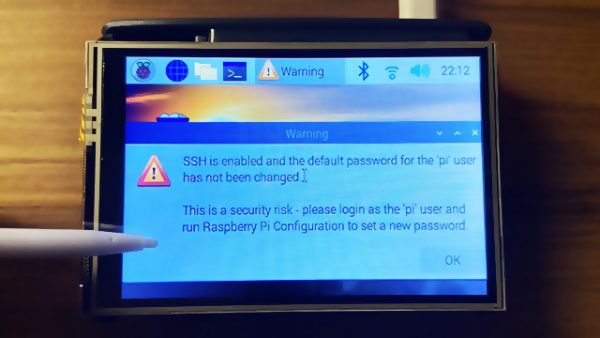
SSH has been disabled by default on a fresh RPi OS installation. To use the RPi in headless mode with SSH enabled, create an empty file in /boot/ssh. This can be done via another computer, e.g. on my Mac:
touch /Volumes/boot/ssh
After the RPi boots, connect it to a LAN cable, SSH to it (find its IP address via DHCP server leases table) and then run raspi-config to do some initial configuration.
raspi-config
Now install the LCD drivers.
To rotate the display so that the HDMI ports are on top. Edit /boot/config.txt:
dtoverlay=tft35a:rotate=270
Next, the touchscreen input will also have to be rotated accordingly. Edit /etc/X11/xorg.conf.d/99-calibration.conf:
Section "InputClass"
  Identifier "calibration"
  MatchProduct "ADS7846 Touchscreen"
  Driver "evdev" # Force the evdev driver
  Option "Calibration" "3936 227 268 3880" # Default values
  Option "SwapAxes" "1" # Required for landscape orientation
  Option "InvertX" "true" # Required for rotate=270
  Option "InvertY" "true" # Required for rotate=270
EndSection
Update: 2020/12/01 for macOS Big Sur, please follow instructions here.
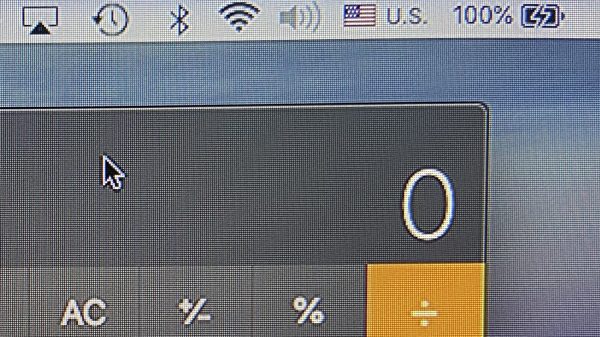
If you have a MacBook, iMac, or Mac mini and use a HDMI cable to connect to a Dell monitor, you may notice that the image seemed over-processed as if it was over-sharpened – I noticed this when I connected my MacBook Pro to my Dell U2913WM.
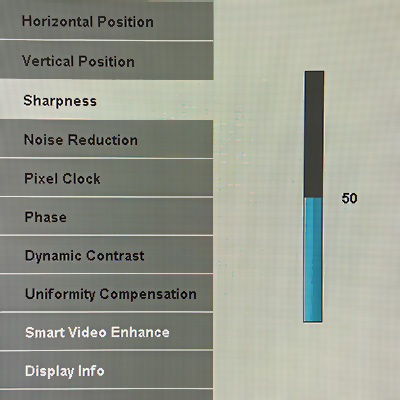
I found a setting in the monitor to turn the sharpness down from the default 50 to 0. It improved the image quality some, but when I switched back to my Mac mini (which was connected via DisplayPort), the quality was still better.
Sharpness setting in the Dell monitor; setting to 0 made it look better, but still does not match a direct input via mDP
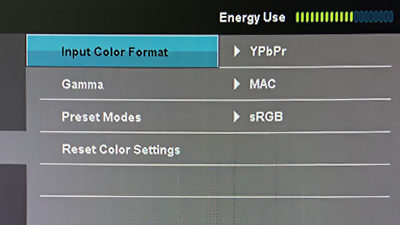
It turns out that this is caused by the Mac sending video signals as YPbPr (component) instead of RGB. This can be seen in the Color Settings menu.
Color Settings showing Input Color Format as YPbPr
Why does this happen? When a HDMI display is connected, the display’s capabilities are negotiated using what is known as an EDID. For some reason, Apple/Mac decided to default to YPbPr, and there’s no way for us to select/force RGB.
I found this blog, which also took a reference from another blog comment. TL;DR, download a small Ruby script and run it. The details are in those blogs, but I’m just writing it here for my own future reference.
Steps:
Run the Ruby script. It will generate a folder with a file, e.g. DisplayVendorID-10ac/DisplayProductID-4080
Reboot your Mac in recovery mode (hold down Command+R)
Copy the file to /Volumes/Macintosh\ HD/System/Library/Displays/Contents/Resources/Overrides
If the folder exists, copy the file into the folder.
If the folder doesn’t exist, copy the entire folder.
If the file already exists, make a backup before overwriting it.
Reboot, and reconnect your display.
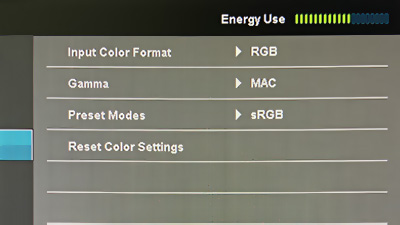
Color Settings showing Input Color Format as RGB after reboot
The difference is immediately noticeable. (I also had to restore my sharpness back to default: 50.)
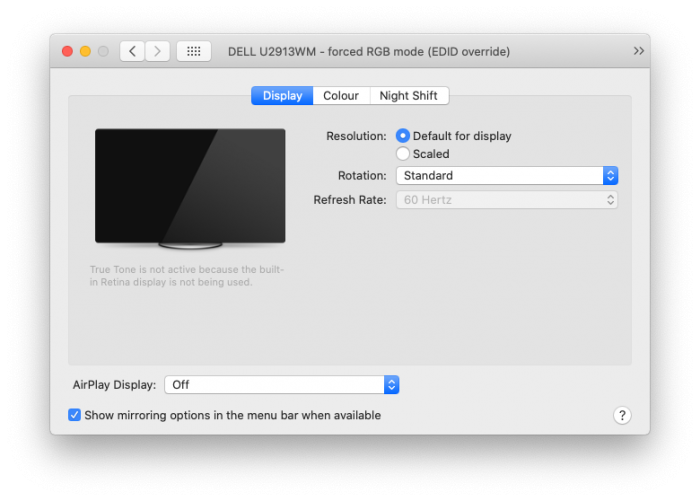
Displays in System Preferences showing EDID override.
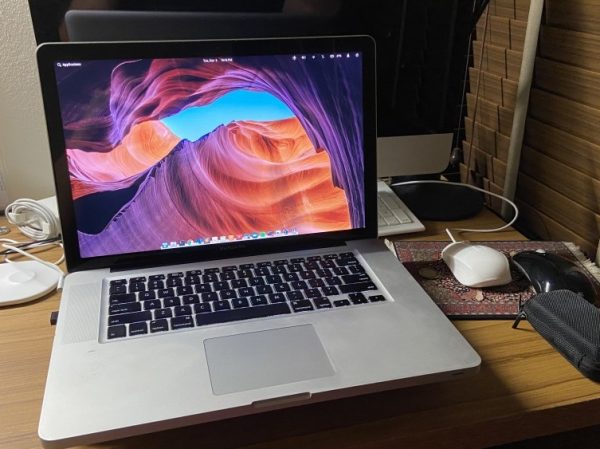
The second generation 2010 MacBook Pro 15″ (MacBookPro6,2) with the Intel Core i5/i7 is arguably one of the best MacBook Pros Apple ever made, bar a few issues. These aluminium unibody MacBooks were the first to have built-in batteries which gave it a much larger battery with incredible battery life, but still had user-replaceable SATA drives and RAM. The battery was also a replaceable component and not glued to the case. Till today, the screen, keyboard and touchpad on my 2010 MacBook Pro 15″ still beats most Windows laptops on the market – bear in mind this laptop is now 10 years old and has traveled the world with me.
After the 2010, MacBook Pros started going downhill: Late 2nd gen (2011) MacBook Pros were riddled with AMD GPU problems. 3rd gen (2013) “Retina” models had memory soldered on the board and had massive Staingate issues. 4th gen (2016) MacBook Pros had only USB-C ports, an unreliable keyboard with the butterfly mechanism, and a bunch of other issues such as thermal throttling.
In 2016, I upgraded to a new MacBook Pro Retina 15″ and was very hesitant to sell this old workhorse away, so I kept it as a spare which I used occasionally at home or when travelling. Unfortunately sometime around 2018 (I think) the laptop started to crash/freeze randomly: It seemed to be a GPU heat-related issue because it would crash when I ran something GPU intensive, such as AutoCAD Fusion. I was able to throttle the GPU, or force the laptop to use only the built-in Intel GPU, and it solved the problem – but not for long.
Thinking this might be a problem with the old, hardened, and poorly applied thermal paste, I pulled the heat sink apart and applied a new coat of thermal paste only to make it worse: this time macOS would get stuck when booting up. Turns out both my Intel iGPU and nVidia dGPU are having trouble and I have no idea why – maybe I flexed the motherboard ever so slightly while dismantling it and knocked some solder joints loose? Ugh.
So I decided to go down the path of installing another OS. Should I install Windows? That’s blasphemy.
I decided to install Linux. I installed Elementary OS (5.1 Hera) and I am loving it so far.
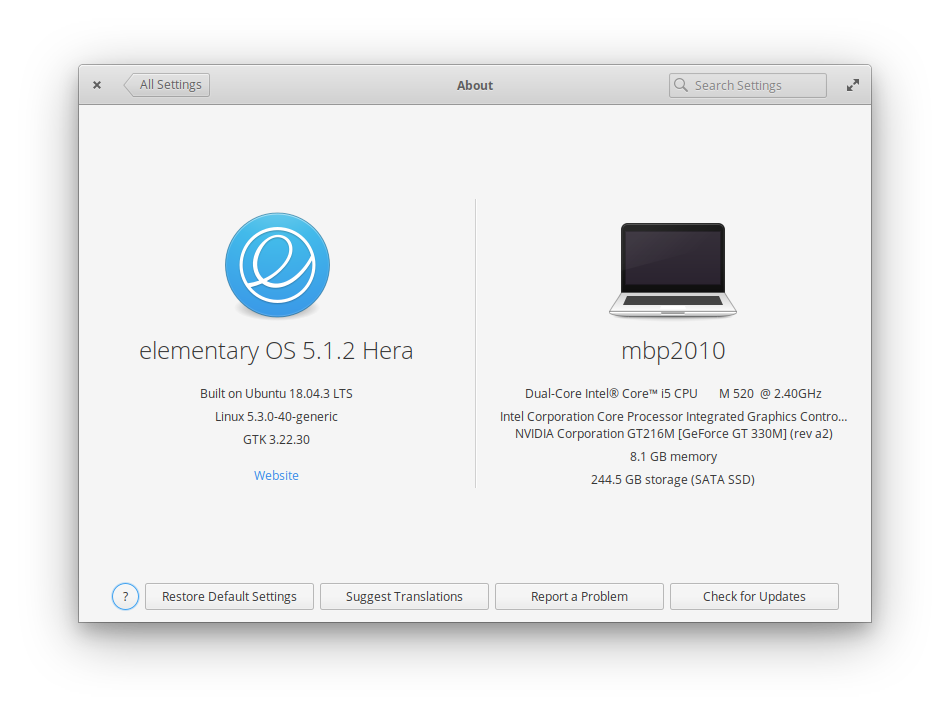
Elementary OS 5.1.2 Hera on MacBook Pro 2010
Some “daily” apps I am running in Linux:
Google Chrome (duh!)
Visual Studio Code
Sublime Text
Insomnia (REST client)
Mailspring (Email client)
Remmina (RDP client)
Dropbox
Zoom.us
Skype
Spotify
VLC
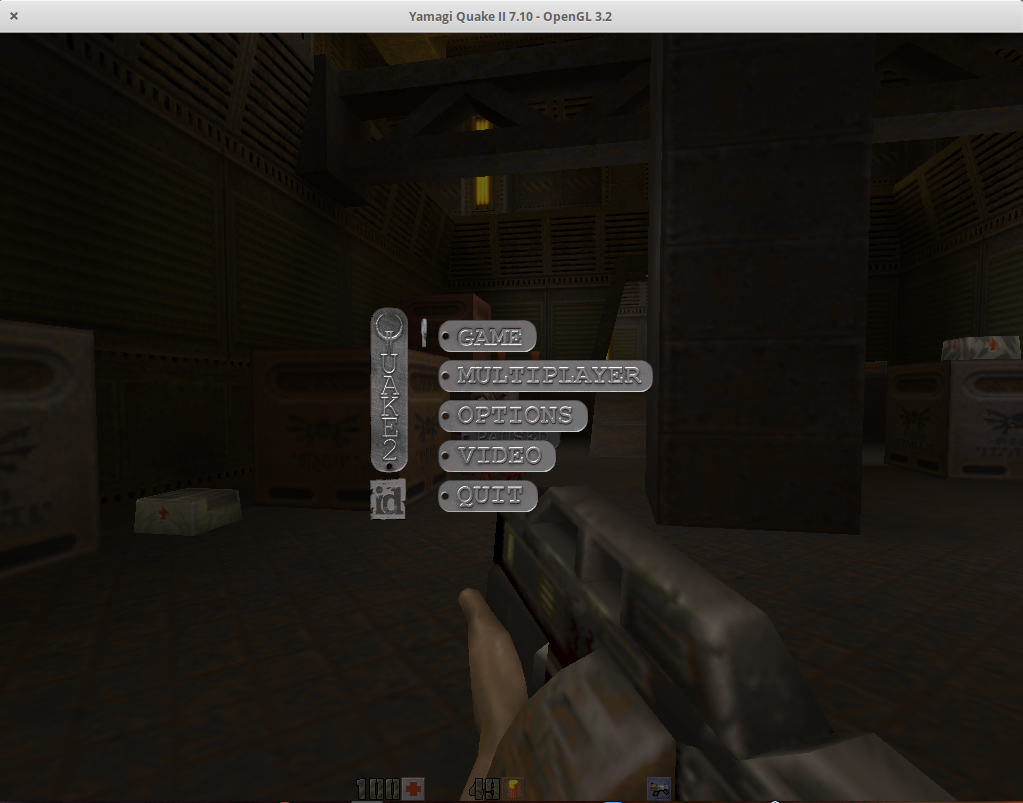
Quake 1, Quake 2, Quake 3 Arena, Quake 4
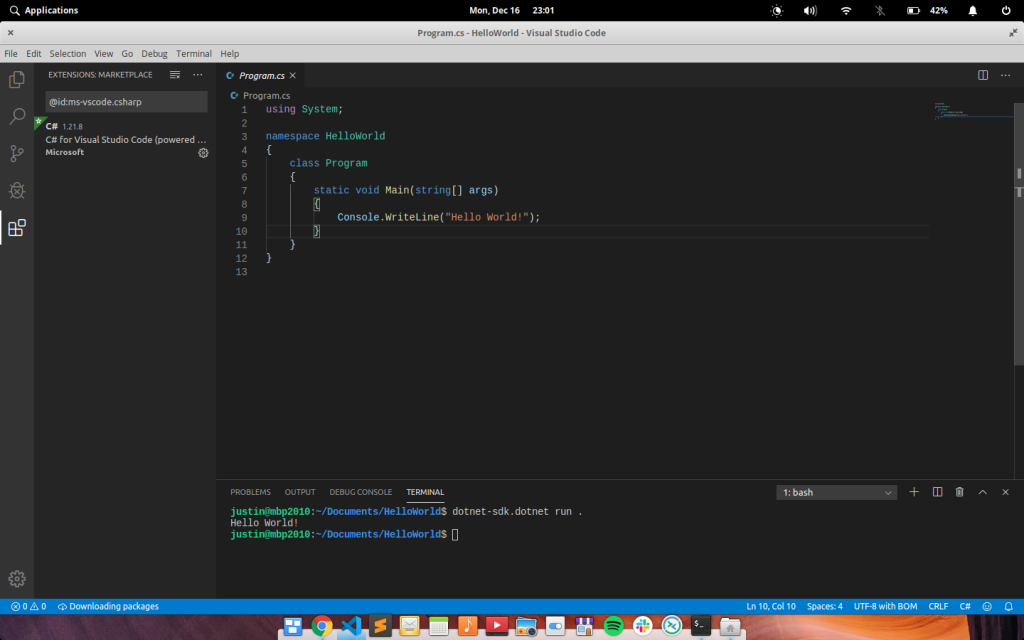
Visual Studio Code in LinuxQuake 2 – my favorite FPS of all time – in Linux
The rest of this blog is more of a documentation for myself, but you can reference what I have done here if you want to get your MacBook Pro 15″ 2010 with a bad dGPU or iGPU going with Elementary OS.
Booting my MacBookPro6,2 (15″, Mid 2010) with faulty GPUs* took a very long time and system momentarily freezes, with lots of errors containing the phrase flip_done timed out. Adding nomodeset or i915.modeset=0 at the end of the linux line in GRUB would allow the MacBook to boot fine using just the nouveau drivers.
* It’s kind of weird because the initial freezing/kernel panic in macOS seemed like a problem with the nVidia GT 330M dGPU, but now I am convinced my fucking around with thermal paste (or flexing the motherboard ever so slightly while doing so) might have messed up both the Intel i915 iGPU and also the nVidia dGPU, that’s why macOS wouldn’t even boot now.
This is very unusual because the known issue this model year has is a bad voltage regulator for the framebuffer. This is not the same problem as the 2011 models which had bad solder joints for the AMD Radeon dGPU.
It is also worth noting that installing the official nVidia drivers (nvidia-340) would cause Linux to freeze. It turns out that only the open source nouveau driver worked fine.
The FIRST problem actually manifested itself when booting the Elementary OS USB installer – it would freeze for several seconds, work for a few seconds, then freeze again, making it unusable. This seems to be a bug in the i915 driver’s Direct Rendering Manager (DRM). I found some old articles with similar errors (flip_done timed out), but none of the suggestions fixes.
The eventual fix would be to append nomodeset or i915.modeset=0 in GRUB when booting the installer.
After the installation, we will need to make this permanent by editing /etc/default/grub:
These sets the PCI registers to enable VGA support on the PCI Express X16 bridge (00:01.0), and also to enable bus-mastering on the nVidia GT216M (01:00.0).
Run sudo update-grub to apply all the above changes to /boot/grub/grub.cfg.
sudo update-grub
Now, reboot. The system should boot up fine. However, X11 is not using the nouveau driver at this point and is using the modesetting driver instead. This isn't a big deal if you don't need that much graphics power, but the I am also having trouble with the system waking up from sleep.
Here's a simple script that you can run to find out. It will print the driver in use. (I got this script from somewhere but I lost the reference/link.)
#!/bin/bash

if [ -z "$1" ]; then
    logfile=/var/log/Xorg.0.log
else
    logfile="$1"
fi

sed -n 's@.* Loading .*/\(.*\)_drv.so@\1@p' "$logfile" |
    while read driver; do
        if ! grep -q "Unloading $driver" "$logfile"; then
            echo $driver
            break
        fi
    done
By default, Elemetary OS did not configure X11 optimally and lets it run with defaults. This would let X11 run in the best compatibility mode on most systems but results in X11 not using the nouveau driver.
To resolve this, we need to generate an /etc/X11/xorg.conf file.
Hit Ctrl+Alt+F1(+Fn) to drop out of X11 to terminal mode. Login and run:
sudo service lightdm stop
sudo Xorg -configure
At this point, Xorg configuration would quit with a complaint:
Number of created screens does not match number of detected devices.
At this point, you will find a newly generated file /root/xorg.conf.new.
Edit the file, and delete one of the MonitorN, ScreenN and CardN entries. For my case, Monitor/Screen/Card0 are for the Intel i915 which I do not want, and Monitor/Screen/Card1 are for nouveau, so I deleted Monitor/Screen/Card0.
Move/copy the file to /etc/X11/xorg.conf:
mv /root/xorg.conf /etc/X11/xorg.conf
Restart lightdm (or reboot):
service lightdm start
X11 is now using nouveau. As a bonus, sleep/wake also works.
To conserve power, I also switched the dGPU to use the lowest clock speed.
When running with the Nvidia dGPU using the nouveau drivers, my battery life is severely affected. So as a bonus, I also tried running Ubuntu 18 LTS on this machine and surprisingly the Intel integrated i915 worked fine. I thought Elementary OS 5.x was based on Ubuntu 18?
Anyway, by disabling the dGPU, power draw can be reduced to around 15W idle versus 20-25W on the dGPU.
The magic trick here is to set some registers to disable the dGPU completely and to also switch the display to use the iGPU otherwise all you get is a black screen after switching off the dGPU.
Edit /etc/grub.d/10_linux, at around line 156, insert these before insmod gzio. (Taken from this reference.)
echo "        outb 0x728 1" | sed "s/^/$submenu_indentation/"
echo "        outb 0x710 2" | sed "s/^/$submenu_indentation/"
echo "        outb 0x740 2" | sed "s/^/$submenu_indentation/"
echo "        outb 0x750 1" | sed "s/^/$submenu_indentation/"
echo "        outb 0x750 0" | sed "s/^/$submenu_indentation/"
Edit /etc/default/grub and these to the following variable:
Run sudo update-grub to apply all the above changes to /boot/grub/grub.cfg.
Untested: By default the MBP boots with display switched to the dGPU, and if the above are set, there will be no display until the iGPU driver is loaded, so the following steps are required to set the EFI variable to tell the MBP to use the iGPU at boot time (at the stage of the Apple boot chime):
mount -t efivarfs rw /sys/firmware/efi/efivars/ # make sure efi is mounted

printf "\x07\x00\x00\x00\x01\x00\x00\x00" > /sys/firmware/efi/efivars/gpu-power-prefs-fa4ce28d-b62f-4c99-9cc3-6815686e30f9
(Note: This did NOT work on my MBP, the EFI is not writable for some reason, and the files have immutable attribute.)