Tag: iPhone

  • Buying Mobile Phones in Singapore

    There’s been a piece of news recently where a Vietnamese tourist who made only $200/month had to kneel down to beg on his knees to get a refund of his money for an iPhone 6.

    I think a lot of people still do not understand the ins-and-outs of this trade. Being a victim of similar scams at mobile phone stores in the old days, I subsequently started a business of my own to prove that it is possible to make an honest living.

    There are few very common tricks that people fall into. The simple ones are these: –

    • Adding taxes to list price after the deal is made. Such sellers usually add an additional 7% GST to the listed price, but sometimes the seller is not a GST-registered business.
    • Missing parts, such as charger and earpiece, requiring a top up. This is the scam I fell for.
    • Not getting the device you wanted, i.e. a fake, or a used item instead of a new one.

    The more complex scams is seen in the news above, where a hidden contractual clause would require you to purchase additional items. There’s also another type of scam known as the swap-bait, where you would purchase a device, then test it and realise it is faulty, but have no choice but to pay extra for an upgrade because the faulty item was the “last piece”.

    How to avoid being scammed?

    Be sure to ask for nett pricing, i.e. tax inclusive price. Be sure to ask if all the items are included in the box, such as charger and earpiece. Also be sure to check the lifetime call timer on the item to ensure that it is 100% brand new (if you are buying a new device). Test the device before making payment. Finally, read any agreement carefully before you sign.

    Sometimes the products may not be sealed, and that is OK because it is common for mobile phone stores to buy from a consumer who has re-contracted with a telco (this is called “buy-back”), then resell it. These devices are still considered “brand new in box” (BNIB), but may have a lapsed warranty of several days. This is how these stores are able to offer good prices well below the recommended retail price (RRP).

    The Vietnamese tourist was unfortunate. These are definitely not normal business practices in Singapore. There are many stores around that make an honest living, and I suggest that people do their own research and go to stores that publish open pricing and have a large social following. The top two such independent stores in Singapore are WhyMobile and Mobile Square.
  • Why is everybody building an iPhone app?

    I’ve had many many self proclaimed wannabe entrepreneurs approaching me with “compelling” iPhone app ideas, and oh, it’s top secret – before they breathe a single word about it I’ll have to sign a 3,112 page NDA so in an event that somebody else has the same idea I can be brought to court and made to compensate billions.

    What is it with iPhone apps, really? Even SMRT released an app and had a press release for it. For what? Can’t they just post disruptions on Twitter and Facebook – which I think they already do? Why build an app? They think my grandmother has an iPhone? An app is not the solution. A proper announcement system and staff training is.

    The phone and mobile apps are just technologies and delivery mediums. Building a product around a technology is a wrong start. Technology should be built around a product instead. A lot of “app” pitches I’ve heard have no real value. Technology alone does not sell a single cent. It must solve a real world problem. Would you buy an app because it could, for example, switch on your microwave at home? Has remotely switching on a microwave been a need for housewives?

    If you’re reading this and thinking of building an app, please look at the product as a whole. If it’s just another one of those apps, I think you may be better off spending your time and money (app developers charge a really crazy sum BTW, just because it’s HOT) building a real product with a HTML5 site that will truly scale when the need arises… at a fraction of the price. If you are a business owner, don’t derail your core business by focusing on apps and whatever technology trend that comes along.

    Sometimes no technology is the best technology.

  • Offline HTML Mobile Apps

    Picking up iOS is quite a bit of work plus you need to buy a Mac to get Xcode running.

    Yes I know you Hackintosh folks are going to start making some noise but let’s keep this legal.

    So I’ve decided to build quick apps using jQTouch.

    To get an App icon on your home screen, simply… add the page to your home screen! Duh. It’s like adding a bookmark. Try it – it works!

    But here’s the next problem – how do we get the apps to work without network connectivity?

    HTML5 introduced something called the offline cache manifest. Here’s how to use it…

    Step 1 – Create a file called yourfilename.manifest with the following content

    CACHE MAINFEST
    demos/main/ajax.html
    demos/main/ajax_post.php
    demos/main/index.html
    demos/main/jqt_startup.png
    demos/main/jqtouch.png
    jqtouch/jqtouch.min.css
    jqtouch/jqtouch.min.js
    jqtouch/jquery.1.3.2.min.js
    themes/jqt/img/back_button.png
    themes/jqt/img/back_button_clicked.png
    themes/jqt/img/button.png
    themes/jqt/img/button_clicked.png
    themes/jqt/img/chevron.png
    themes/jqt/img/chevron_circle.png
    themes/jqt/img/grayButton.png
    themes/jqt/img/loading.gif
    themes/jqt/img/on_off.png
    themes/jqt/img/rowhead.png
    themes/jqt/img/toggle.png
    themes/jqt/img/toggleOn.png
    themes/jqt/img/toolbar.png
    themes/jqt/img/whiteButton.png
    themes/jqt/theme.min.css
    some/other/file.name

    Step 2 – Make sure your web server reports the MIME type correctly by adding the following config to Apache. You might need to contact your hosting provider to get this done.

    AddType text/cache-manifest .manifest

    Step 3 – Add the following tag to your HTML page so the browser knows where to find the manifest.

    <html manifest="yourfilename.manifest">

    That’s it!

    Original reference material here.

  • Review of iOS 4 on iPhone 3G

    I’ve just updated my iPhone with the new iOS 4 firmware yesterday and here’s a short review.

    There has been lots of commotion about multi-tasking but I’m not the least concerned — not because I am not getting it on my iPhone 3G, but because I don’t see a need for it with the type of apps I use. Mail and Google Maps in the background doesn’t make sense. I might change my mind if there’s a good IM client someday.

    For now, the only useful features are shown below.

  • Finally, I’m an iPhone 3G (not 3GS) Owner

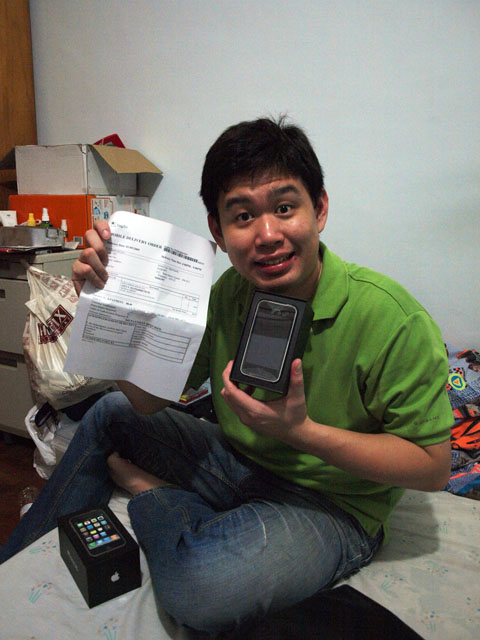
    Not exactly very proud to be a super late adopter of the iPhone 3G, but I’m certainly glad I received it on the evening of Tuesday September 1, 2009 as scheduled. My primary aim wasn’t actually to get an iPhone, but to switch to SingTel ‘cos StarHub’s signal strength was terrible in almost every place I work. Well, it’s not surprising they were all SingTel buildings – ComCenter, Telepark, etc.

    I'm a happy man with a new iPhone 3G.
    I'm a happy man with a new iPhone 3G.

    Since I was doing a switch to SingTel, I thought, what the heck, I’ll just grab the iPhone 3G that’s going for only $88 at SingTel’s online shop. I’ll finally get to enjoy 3G data speeds that’s lacking in my current iPhone 2G. One other thing I’d love to have is the improved clarity of the iPhone 3G speaker so I can make calls in the car when I forget to activate my bluetooth!

    So with a new iPhone 3G, what should I do with my iPhone 2G that has a cracked glass? Should I spend $200+ to replace the glass and cover so it looks like new, and either sell it or pass it on to my siblings, or should I sell it for $150, or should I just use it?

  • Ten simple steps to Skype over 3G on the iPhone

    Skype prevented users from making calls over 3G data networks on the iPhone for contractual reasons, but I think many would love to have it working. Here’s a summarized version of getting Skype to work on the iPhone.

    I’ve tested it on the 2G and it seems to work, though voice call quality is choppy.

    The pre-requisite here is to have a jailbroken iPhone with Cydia installed, and also knowledge of basic UNIX command line and the VI editor.

    If you do not have a jailbroken iPhone, do not ask for instructions here. You should find them online elsewhere.

    1. Install or update to the latest version of MobileSubstrate via Cydia. This fixes a crash on Skype.
    2. Install VoIP3G via Cydia. This enables you to make VoIP calls via 3G.
    3. Install SSH and VIM Enhanced via Cydia. You will need this to edit some files in your phone.
    4. Connect to a Wi-Fi network, preferably the same network as your computer.
    5. Get the phone’s IP address under Settings > Wi-Fi.
    6. SSH to the phone as root with the password alpine (this is the iPhone default if you haven’t changed it).
    7. Go to /Library/MobileSubstrate/DynamicLibraries and edit VoIPover3G.plist.
    8. You will see a line that looks like the following…
      Filter = {Bundles = ("com.Fringland.Fring");};
    9. Appened “com.skype.skype” to the array (it might already be there), e.g.
      Filter = {Bundles = ("com.Fringland.Fring", "com.skype.skype");};
    10. Save the file, restart your iPhone, and reinstall Skype.